
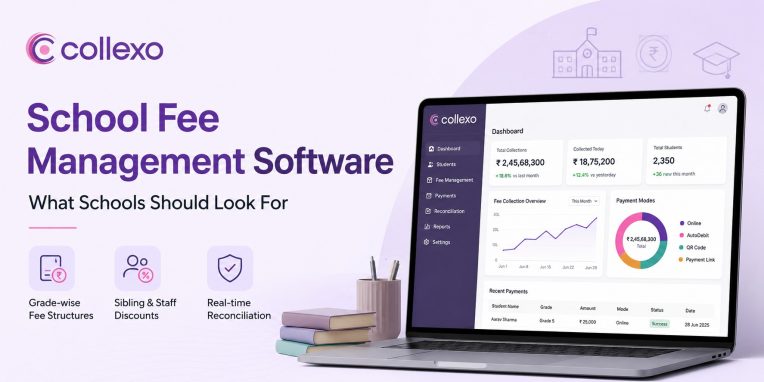
Every school runs on the same basic promise: fees come in on time, and finance teams can account for every rupee. School fee management software exists to keep that promise even as enrolment grows, payment modes multiply, and parents expect answers faster than a spreadsheet can give them.
What Is School Fee Management Software?
School fee management software is a system that lets a school configure fee structures, collect payments across channels, and reconcile every transaction against a student record. It replaces manual registers, standalone payment gateways, and disconnected spreadsheets with one connected workflow. For a K-12 finance team, that means fewer errors and less time spent chasing which parent paid what.
Why School Fee Operations Look Different From Higher Education
Schools do not bill the way universities do. Fees usually run grade-wise and term-wise rather than semester-wise, and a single school often manages daycare, bridge programs, and regular school under one roof, each with its own billing calendar. Sibling and staff discounts are common in a way they rarely are at the college level.
Parents, not students, make the payment decision, which changes how reminders and communication need to work. As a result, a system built only for higher education tends to feel rigid once it meets a school’s actual mix of grades, branches, and concession rules.
The Buyer Checklist: Five Things to Evaluate Before You Choose
Start with fee structure flexibility. Confirm the software lets you configure fees by grade, class section, or branch, with different billing cycles for each, rather than forcing every student into one template.
Next, check how discounts and scholarships are handled. Sibling discounts, staff concessions, merit awards, and need-based waivers should apply automatically at checkout. This means your team should not need to calculate a single concession by hand once the rule is set.
Look closely at reconciliation as well. A school that cannot match every payment to the right student and fee head by the end of the day is running blind on collections. Reconciliation should happen in real time, not through a manual spreadsheet exercise at month-end.
Parent communication matters just as much as the payment itself. Reminders sent through WhatsApp, SMS, and email reduce the number of calls your front office fields every week. Beyond that, a dashboard where a parent with multiple children can see all fees in one place cuts routine queries even further.
Finally, weigh how the software handles multi-branch operations. A school group needs branch-specific fee rules and bank account routing alongside one consolidated view for leadership, so growth does not mean rebuilding the system from scratch.
Must-Have Features in a School Fee Management System
A capable system starts with grade-wise and term-wise fee configuration, so finance teams set up billing cycles per class or branch without depending on IT for every change. This is the foundation everything else sits on.
Discount logic needs the same depth. Sibling, staff, merit, and need-based concessions, along with early-payment discounts, should apply automatically rather than requiring manual review at the time of payment. In practice, this is one of the fastest ways to remove error from a school’s fee cycle.
Late fee automation and GST handling round out the configuration layer. Grace periods and percentage-based penalties should run on rules the school sets once, and GST should split into SGST, IGST, and CGST automatically with invoices generated at the same time.
On the collection side, look for support across online checkout, payment links, AutoDebit for recurring tuition, and Dynamic QR codes at the fee counter, so no payment mode sits outside the main record. Some platforms extend this further with a student ID solution such as Collexo Pixi, which doubles as a tap-and-go payment card alongside ID and campus access.
School-Specific Use Cases: How It Plays Out in Practice
Consider a school billing tuition termly while transport and activity fees run on separate schedules. A finance team without integrated software tracks these across different spreadsheets, and discrepancies creep in whenever a parent pays a partial amount or misses one fee category by mistake.
Sibling discounts are another common scenario. A family with two children enrolled should see the discount reflected automatically on the second child’s invoice, with the adjustment logged for audit purposes rather than applied manually each term.
Multi-branch school groups face a related challenge. Each branch needs its own fee rules and bank routing, while the central office still needs one consolidated view. This is close to what Prakriti School dealt with before adopting Collexo, given a fee structure spanning daycare, bridge programs, and regular school with frequent mid-session enrolments. You can read how Prakriti School simplified its fee operations, including how its finance team moved to zero manual invoice uploads.
How Collexo Works for Schools
Collexo’s school fee management system is purpose-built for K-12, covering grade-wise and branch-wise fee structures, instalment plans, and discount logic in one configuration layer. Institutions set up fee heads, late fee rules, and GST splits once, then apply them across grades, sections, and branches without custom development.
On the collection side, Collexo supports online payments, payment links, eNACH-based AutoDebit, Dynamic QR at the counter, and EMI, all mapped automatically to the right student and fee head. Every incoming payment reconciles in real time against the student’s fee demand, so finance teams are not left matching transactions manually at day’s end.
Collexo is currently trusted by more than 700 educational institutions, spanning K-12 schools, higher education, and EdTech platforms on one Payment Cloud. It is built on enterprise-grade security, including SOC and ISO 27001 certifications, GDPR, and DPDPA compliance.
Want to see exactly how Collexo handles grade-wise structures, sibling discounts, and reconciliation for a school like yours? Compare capabilities on Collexo’s school fee management page.