
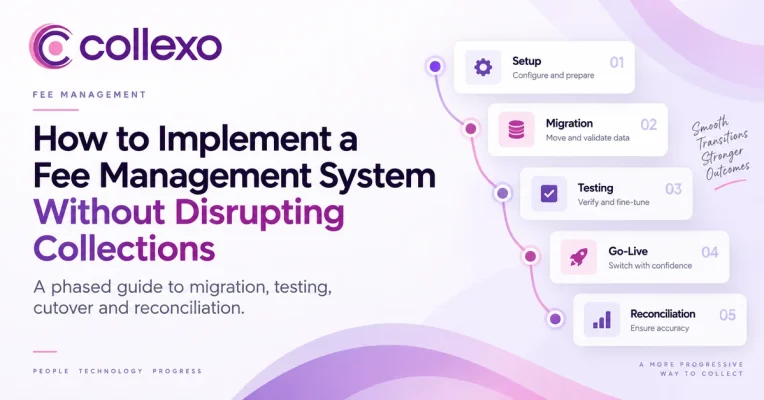
Fee management system implementation is not simply a software migration. It is the transfer of a live financial process while students are still paying, settlements are still reaching bank accounts, refunds are still being processed and new fees are still becoming due.
That is why the biggest implementation risk is rarely the software going offline.
The bigger risk is losing clarity about which system owns the money at each stage.
For example, a parent may pay through an old payment link after a student’s balance has already moved to the new system. At the same time, finance may be waiting for a settlement from transactions processed before the cutover. A refund raised in the old platform may also complete after the new platform is live.
If ownership is unclear, two systems can show two different versions of the same student balance.
Therefore, the goal should not simply be:
“Launch the new fee management system.”
A stronger goal is:
“Move every active fee, payment and settlement without losing control of the financial trail.”
This requires a phased implementation rather than a one-day switch.
Fee management system implementation: the short answer
A safe fee management system implementation usually follows six stages:
Map the current fee lifecycle → Define system ownership → Prepare data → Configure and integrate → Test real financial scenarios → Cut over in controlled phases
Most importantly, do not judge readiness by whether a student can successfully make a test payment.
Before go-live, the institution should be able to prove the complete journey:
Fee due → Payment initiated → Payment completed → Receipt generated → Balance updated → Settlement received → Payment reconciled
In addition, the same process should work when something goes wrong.
That means testing partial payments, failed transactions, refunds, reversals, incorrect records and integration failures before students depend on the new platform.
A checkout page can be live while the finance process behind it is still broken.
Why fee management system implementation is different from normal software migration
Most migrations focus on moving records from System A to System B.
Fee systems carry more risk because the records represent money that may still be moving.
A fee platform usually has to manage three connected questions.
What does the student owe?
This includes:
- Fee structures
- Fee heads
- Instalments
- Scholarships
- Concessions
- Penalties
- Due dates
- Opening balances
How will the student pay?
This may include:
- Online checkout
- UPI
- Cards
- Net banking
- Payment links
- AutoDebit
- EMI
- QR
- Bank transfers
- Offline payments
- International payment routes
How will finance close the payment?
Finally, finance may need:
- Receipts
- Student fee ledgers
- Settlement visibility
- Refund tracking
- Reconciliation
- Accounting updates
- Reports
- Audit trails
These three layers must stay connected.
Consider a student whose old system shows:
Total fee: ₹80,000
Already paid: ₹50,000
Outstanding: ₹30,000
A weak migration transfers only the ₹30,000 balance.
A stronger migration preserves enough context to explain:
Why is ₹30,000 due?
Which fee head does it belong to?
Which earlier payments created the current balance?
Does an instalment or concession apply?
What should happen when the student pays the final ₹30,000?
Therefore, a finance migration should preserve meaning, not only numbers.
Start fee management system implementation by defining what must not break
Before discussing APIs, templates or data fields, list the financial processes that must continue through the transition.
For most institutions, these include:
- Students can still pay
- Payments reach the right account
- Each payment maps to the right student
- The correct fee balance changes
- The correct receipt is generated
- Finance can trace settlements
- Existing refunds can still complete
- Failed transactions remain visible
- Teams know which system owns each record
These become the real go-live requirements.
A practical checklist could look like this:
| Process | Minimum go-live requirement |
|---|---|
| Fee demand | Correct student, fee head, amount and due date |
| Collection | Correct payment route is available |
| Student mapping | Payment maps to the intended learner |
| Receipt | Receipt links to the correct transaction |
| Balance | Payment changes the correct outstanding amount |
| Settlement | Finance can trace what reached the bank |
| Reconciliation | Transaction and settlement can be matched |
| Refund | Existing and new refunds have a defined process |
| Reporting | Opening, collection and closing figures reconcile |
As a result, implementation success becomes measurable before the project begins.
Fee management system implementation phase 1: map the current fee lifecycle
Do not begin by copying fields from the old platform.
Instead, document how fees actually move today.
For each important student or payer journey, map:
Fee created → Fee assigned → Student notified → Payment received → Receipt generated → Ledger updated → Settlement received → Reconciliation completed
Next, identify the system or person handling each stage.
For example:
- ERP creates the student.
- Finance spreadsheet calculates a special concession.
- Payment gateway processes the payment.
- ERP records the payment.
- Bank statement confirms settlement.
- Another spreadsheet handles reconciliation.
This exercise often reveals hidden manual processes.
A team may call its current setup “automated” because students can pay online. However, finance may still be downloading reports and matching transactions manually every morning.
A new platform should not simply reproduce those hand-offs with a better interface.
It should remove the ones that no longer need to exist.
If your institution is still deciding whether the ERP should continue to own fee operations, compare the two models first in the earlier Collexo guide on Fee Management Software vs ERP Fee Module.
Fee management system implementation phase 2: decide which system owns each record
This is one of the most important steps in fee management system implementation.
If two systems can create or change the same financial record, the institution needs a clear rule for which one is authoritative.
For example:
| Record | Possible owner |
|---|---|
| Student ID | ERP / SIS |
| Programme and campus | ERP / SIS |
| Fee structure | Fee platform |
| Fee demand | Fee platform |
| Payment transaction | Fee/payment platform |
| Receipt | Fee/payment platform |
| Settlement | Fee/payment platform |
| Reconciliation | Fee/payment platform |
| Accounting entry | ERP / accounting system |
| Academic status | ERP / SIS |
There is no single model that fits every institution.
However, every implementation team should be able to answer four questions for each record:
Where is it created?
Which system can change it?
Which systems only receive it?
What happens when two systems disagree?
If those rules are unclear before integration, they will become harder to resolve after go-live.
Collexo, for example, can work with existing ERP-based fee journeys. Its ERP setup guidance starts by creating integration credentials and configuring fee setup before connecting the payment journey.
See Collexo’s ERP fee configuration guide
Fee management system implementation phase 3: clean the data before moving it
Do not treat migration as:
Export everything → Import everything
A better approach separates data into three groups.
1. Data needed to continue collecting fees
This may include:
- Active students
- Current programmes
- Fee structures
- Open fee demands
- Outstanding balances
- Active instalments
- Scholarships or concessions
- Relevant payer details
2. Financial activity that is still open
This group deserves special attention.
For example:
- Pending refunds
- Payments waiting for settlement
- Unmatched transactions
- Credit balances
- Active AutoDebit mandates
- Cheques waiting for clearance
- Pending fee adjustments
These records can cross the cutover date.
Therefore, each one needs a defined system owner before migration.
3. Historical records
Older receipts and closed transactions may still need to remain accessible for finance or audit purposes.
However, they do not always need to become active records in the new platform.
A useful question is:
Which old records need to remain actionable, and which only need to remain accessible?
This prevents a fee management system implementation from becoming an unnecessary attempt to rebuild the institution’s entire financial history.
Reconcile opening balances before fee software migration
Never migrate an unexplained balance.
Before loading active balances, the institution should be able to reconcile:
Assigned fees − Valid payments − Approved adjustments = Outstanding balance
Suppose the old system says a student owes ₹27,430.
The migration team should know why.
Perhaps:
₹60,000 tuition fee
− ₹30,000 payment
− ₹5,000 scholarship
- ₹2,430 hostel adjustment
= ₹27,430 due
If nobody can explain the balance before migration, moving it into another platform does not solve the problem.
It only moves the uncertainty.
For institutions rebuilding fee structures at the same time, Collexo’s fee-management workflow supports programme-, campus-, cohort- and student-level structures, along with instalments, scholarships, penalties and related rules.
Read the Collexo guide to fee structure management
Fee management system implementation phase 4: configure fees before payment channels
It is tempting to activate payment gateways early because payment is the most visible part of the project.
However, collection should come after fee logic.
First, configure:
- Fee heads
- Fee structures
- Programmes
- Campuses
- Academic sessions
- Instalments
- Due dates
- Scholarships
- Concessions
- Penalties
- Taxes where applicable
- Receipt rules
- Bank routing
- User permissions
- Approval workflows
Then test what the student should owe.
Only after those rules are stable should the implementation team connect payment channels.
Why?
Because collecting the wrong amount perfectly is still a failed implementation.
Collexo’s Fee Management layer is designed to configure fee heads, schedules, instalments, scholarships, concessions, penalties and learner ledgers before those fees move into collection.
Explore Collexo Fee Management
Fee management system implementation phase 5: test business journeys, not APIs
A successful API response does not prove that an integration works.
The business result matters more.
For example, test this journey:
ERP creates student
↓
Fee platform receives correct student
↓
Correct fee structure is assigned
↓
Student receives correct payable amount
Then test the return journey:
Student pays
↓
Payment maps to correct fee
↓
Student balance changes
↓
Receipt is generated
↓
ERP receives the required payment status
Finally, test what happens when the integration fails.
Does the transaction retry?
Does it enter an exception queue?
Can finance see the mismatch?
Can someone resolve it without editing multiple systems?
Therefore, integration testing should follow the actual financial workflow rather than only the technical connection.
Run a migration rehearsal before touching production
The first full migration should never happen on go-live day.
Instead, run a rehearsal with a representative set of data.
Afterward, compare totals across the old and new systems.
At minimum, reconcile:
- Number of active students
- Total fee demand
- Historical payments being carried forward
- Total outstanding balance
- Open instalments
- Credit balances
- Pending refunds
- Fee-head totals
- Programme totals
- Campus totals
- Entity totals
For example:
Outstanding in old system: ₹8.42 crore
Outstanding after migration: ₹8.31 crore
That ₹11 lakh gap needs an explanation before production cutover.
Therefore, every fee management system implementation should include a migration variance report.
Small differences may have valid reasons.
Unexplained differences should block go-live.
Fee management system implementation phase 6: test exceptions before go-live
The easiest test is:
Student owes ₹10,000 → Student pays ₹10,000 → Payment succeeds
That proves very little.
Finance does not spend most of its time investigating perfect transactions.
So, test the exceptions too.
| Scenario | What to verify |
|---|---|
| Full payment | Balance, receipt, ledger and settlement |
| Partial payment | Correct balance remains due |
| Failed payment | No false receipt or ledger update |
| Duplicate attempt | Duplicate payment handling |
| Excess payment | Credit or refund workflow |
| Partial refund | Original transaction remains traceable |
| Full refund | Correct fee and ledger impact |
| Reversal | Balance returns correctly |
| Offline payment | Student and fee mapping |
| Bank transfer | Reference can be identified |
| Late scholarship | Fee balance updates correctly |
| Programme change | Fee is reassigned correctly |
| Late fee | Rule activates at the right time |
| Multiple accounts | Payment routes to the right account |
| Integration failure | Clear retry or exception process |
This is one of the most important parts of fee management system implementation.
The system must work when the finance team says:
“Something went wrong. Show me exactly what happened.”
Test reconciliation before calling the system live
A payment has not been fully tested when the screen says Payment Successful.
The money still has to complete the financial journey.
For example:
Student pays ₹20,000
↓
Payment maps to Student A
↓
₹20,000 is applied to the correct fee
↓
Receipt is generated
↓
Transaction appears in settlement
↓
Money reaches the correct bank account
↓
Finance can trace that settlement back to Student A
Only then is the loop complete.
Therefore, reconciliation should be part of user acceptance testing rather than a post-launch activity.
Collexo’s reconciliation workflow matches payments with fee records and settlement information, while also supporting visibility into exceptions and finance reports.
Explore Collexo Payment Reconciliation
How to cut over without stopping fee collections
A safe fee management system implementation does not always require every student, campus and fee type to move on the same day.
Instead, choose a controlled cutover model.
New-intake-first cutover
New students begin in the new platform.
Meanwhile, existing students continue in the legacy setup until a defined transition point.
This reduces migration risk. However, teams temporarily operate two systems, so ownership must remain very clear.
Campus-by-campus cutover
One campus goes live first.
Once collections, settlements and reconciliation work correctly, the next campus follows.
This approach works particularly well when campuses already have separate teams, fee structures or bank accounts.
Fee-type cutover
An institution may move one category first.
For example:
New admission fees → New system
while existing tuition collections remain unchanged temporarily.
This reduces early scope. On the other hand, communication must make sure students know where each payment belongs.
Full cutover with a short freeze
Some institutions may move all live balances together.
In that case, a controlled freeze can provide time to take the final balance snapshot, migrate it and verify totals before collection resumes.
Regardless of the model, one rule should remain non-negotiable:
At any point in time, every active fee should have one collection owner.
The dangerous model is:
Old system can collect + New system can collect + Nobody knows which ledger should win.
An illustrative fee management system implementation timeline
There is no universal implementation duration.
A simple setup with one fee structure and few integrations will move differently from a multi-campus institution with several payment routes, bank accounts and open balances.
However, this illustrative six-week plan shows the right sequence.
| Period | Main work | Exit condition |
|---|---|---|
| Week 1 | Current-state mapping and ownership | Fee lifecycle and system owners documented |
| Week 2 | Fee setup and data mapping | Structures and migration rules approved |
| Week 3 | Integrations and payment configuration | Student, fee and payment flows connected |
| Week 4 | Migration rehearsal and UAT | Balances reconciled and exceptions tested |
| Week 5 | Pilot cohort or campus | Real payments and settlement validated |
| Week 6 | Phased rollout and monitoring | Remaining scope moved with controlled checks |
The dates should follow complexity, not pressure to announce a launch date.
If reconciliation is not ready in Week 5, calling Week 6 “go-live” does not make the system ready.
Choose the right time for fee management system implementation
Timing matters almost as much as configuration.
Avoid major cutovers immediately before:
- Semester fee deadlines
- Admission-fee deadlines
- Large AutoDebit runs
- Examination registration deadlines
- Month-end close
- Year-end close
- Major scholarship changes
- Peak campus counter days
A minor error affecting 20 pilot payments is manageable.
The same error affecting 20,000 payments on the institution’s largest due date can become a finance and student-support problem at the same time.
Therefore, choose a cutover window that gives finance, IT and the vendor room to investigate exceptions.
Fee management system implementation stakeholder checklist
IT should not implement a fee platform alone.
Finance owns the financial truth.
Technology teams help that truth move correctly between systems.
A practical ownership model looks like this:
| Stakeholder | What they should approve |
|---|---|
| Finance / Accounts | Fee rules, balances, receipts, settlements, reconciliation |
| IT / ERP team | IDs, integration, data flow, access |
| Admissions / Student Ops | Student status, programme mapping, fee triggers |
| Leadership | Scope, risk and rollout model |
| Campus teams | Local fees, accounts, users and processes |
| Student support | Payment communication and escalation |
| Implementation team | Configuration, migration and testing |
| Bank / payment partners | Payment and settlement setup |
In addition, appoint one implementation owner.
Otherwise, finance can wait for IT, IT can wait for the vendor and the vendor can wait for a fee-policy decision while the planned launch date stays unchanged.
Build security into the implementation, not after it
A fee management system implementation handles both student and payment information.
Therefore, access rules should be designed before data moves.
Decide:
- Who can create fee structures?
- Who can change student fees?
- Who can approve concessions?
- Who can process refunds?
- Who can change bank routing?
- Who can export reports?
- Which actions need maker-checker approval?
- Which changes must appear in an audit trail?
Payment-card responsibilities also need clear boundaries.
The PCI Security Standards Council describes PCI DSS as baseline technical and operational requirements for protecting payment account data. It applies to organisations involved in storing, processing, transmitting or affecting the security of cardholder data.
In addition, institutions should understand the role of the payment providers in their stack. RBI guidance distinguishes payment gateways from payment aggregators and describes the roles these intermediaries play in online payment processing and settlement.
Read RBI’s guidance on Payment Gateways and Payment Aggregators
The goal is not to turn the finance team into payment-regulation experts.
Instead, every party should know which provider is responsible for which part of the payment journey.
Seven fee management system implementation mistakes to avoid
1. Migrating every historical record
Old data is not automatically useful data.
Move what the new system needs for live financial operations. Preserve older records appropriately where they are required for history, finance or audit.
2. Mapping fields instead of workflows
“Student ID maps to Student ID” is not enough.
You also need to know what happens if the student changes programme, receives a concession or makes a partial payment.
3. Treating checkout success as project success
A green payment-success screen is only one milestone.
The implementation is not complete until finance can trace and reconcile the transaction.
4. Testing only clean cases
Real fee operations contain failed payments, duplicate attempts, reversals, refunds, late scholarships and unmatched transactions.
Test them before students create them for you.
5. Forgetting transactions already in motion
A payment made before cutover may settle after cutover.
Similarly, a pending refund, cheque or mandate can cross the migration date.
Therefore, give each open transaction a clear owner.
6. Launching everything at once
Unless there is a strong operational reason, prove the workflow on a smaller scope first.
Then expand.
7. Turning off the legacy system too early
The old platform may need to remain available in read-only form while finance checks historical activity and closes earlier periods.
Legacy-system retirement should be its own project milestone.
Measure financial quality after go-live
A fee management system implementation should not be judged by the number of users who logged in.
Track whether the financial process improved.
Payment success rate
Are students able to complete the intended payment journeys?
Unmatched-payment rate
How many payments cannot be linked to the intended student or fee?
Balance variance
Do live balances match the amounts finance expects?
Settlement variance
Does the expected settlement match what reaches the bank after known charges and adjustments?
Exception ageing
How long do pending, failed or mismatched transactions remain unresolved?
Manual intervention
How often must finance download, match, correct or update records by hand?
Support volume
Which issues are students, parents and internal teams raising after launch?
Ideally, these measures improve as the rollout grows.
If payment volume increases while manual reconciliation increases with it, the software is live but the financial process has not really improved.
Where Collexo fits into fee management system implementation
Collexo Payment Cloud connects three stages of the education fee lifecycle:
Fee Management → Fee Collection → Payment Reconciliation
Fee Management defines what is due. Fee Collection manages how students and parents pay. Finally, reconciliation connects payment and settlement information back to the learner and fee record.
That connected model matters during implementation because institutions can design the rollout around the complete financial journey rather than treating payment checkout as a separate project.
Collexo can also work with existing education systems where an ERP or SIS continues to own other parts of the student record. Its public ERP guidance includes integration credentials and ERP-linked fee configuration, while its fee platform keeps the collection and reconciliation journey connected.
For a broader view of the complete lifecycle, see Collexo’s guide to how a student fee management system works from setup through reconciliation.
Read Student Fee Management System: Setup to Reconciliation
Final fee management system implementation checklist
Before approving go-live, make sure the institution can answer yes to each question.
Fee setup
Are active fee structures, heads, instalments and due dates correct?
Student data
Do active students have the right programme, campus, ID and opening balance?
Ownership
Does every important record have one clear system owner?
Payment channels
Have all required collection methods been tested?
Integrations
Have both successful data flows and failed-sync scenarios been tested?
Receipts
Does each receipt link to the correct student, payment and fee?
Reconciliation
Has at least one complete payment-to-settlement journey been validated?
Exceptions
Have refunds, failed payments, reversals and partial payments been tested?
Security
Are permissions, approvals and audit trails configured?
Cutover
Is there a clear point at which active fees move to the new platform?
Support
Do finance and student-support teams know what to do when an issue appears?
Contingency
Is there a defined response if a serious issue appears without reopening duplicate collection routes?
If several answers are still:
“We’ll fix that after launch,”
the implementation is probably not ready.
The best fee management system implementation protects continuity, not just the launch date
Technology teams may define go-live as the point when the new application becomes available.
Finance needs a stricter definition.
A successful implementation should allow the institution to explain:
What the student owed
What the student paid
Where the payment went
What remains due
What reached the bank
What still needs action
That is the standard a fee management system implementation should meet.
Do not optimise the project for the hour the new software turns on.
Instead, optimise it for the next morning—when students are paying, settlements are arriving and finance needs every number to make sense.
Plan your fee management system implementation
If your institution is moving from spreadsheets, an ERP fee module, a payment-gateway-led setup or another fee platform, begin with the current fee lifecycle.
Map fee setup, collections, student balances, integrations, settlements and reconciliation first.
Then decide what should move, who should own it and how each stage will be tested before the rollout expands.
Collexo Payment Cloud connects fee setup, collection and reconciliation in one education-focused financial workflow.
Keep collections running. Transfer financial ownership deliberately. Reconcile before you scale.
Frequently asked questions
What is fee management system implementation?
Fee management system implementation is the process of configuring fee rules, preparing student and financial data, connecting required systems and payment channels, testing transactions, migrating active records and moving collections to the new platform.
A complete implementation should cover the journey from fee creation through payment, settlement and reconciliation.
How long does fee management system implementation take?
There is no standard timeline.
A simple institution with limited fee structures and integrations may require less work than a multi-campus organisation with several bank accounts, payment channels, historical balances and connected systems.
Therefore, implementation time should be based on complexity and testing requirements rather than a fixed number of weeks.
What data is needed for fee management system implementation?
Common data includes student IDs, programmes, campuses, fee structures, fee heads, instalments, due dates, scholarships, concessions, opening balances and active payment information.
In addition, the team should identify pending refunds, credits, unsettled transactions and other financial activity that may cross the cutover date.
Should all historical fee data be migrated?
Not always.
First, separate historical records required for ongoing financial activity from records that only need to remain accessible.
This reduces migration effort while preserving the financial history the institution still needs.
Can fee management software work with an existing ERP?
Yes, when the systems support the required integration model.
For example, the ERP may continue to own student and academic data while the fee platform manages fee demands, payment transactions, settlements and reconciliation.
However, the institution should define ownership clearly before integration.
How can institutions avoid collection downtime during implementation?
Use a controlled cutover.
Depending on the institution, this may mean moving collections by intake, campus, fee category or another defined group.
Most importantly, each active fee should have one clear collection owner during the transition.
What should be tested before a fee management system goes live?
Test full payments, partial payments, failed transactions, duplicate attempts, refunds, reversals, concessions, late fees, offline payments, payment mapping, integrations, settlements and reconciliation.
The institution should also test what happens when integrations or payment processes fail.
What is the biggest risk in fee management system implementation?
One of the biggest risks is unclear financial ownership during cutover.
If both the old and new systems can collect or update the same fee, balances, receipts and payment records may diverge.
Therefore, every live fee and open transaction should have one clearly defined system of record during migration.