
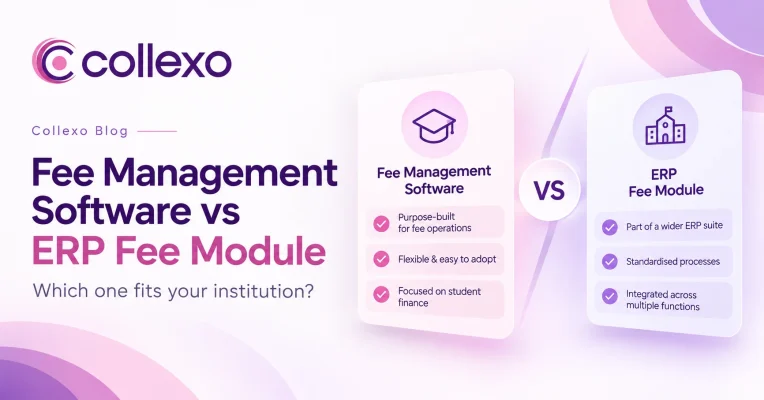
Fee management software vs ERP is no longer just a feature comparison for education institutions. It is a decision about which system should own the fee lifecycle, from fee setup and collection to settlement, reconciliation and reporting.
Most institutions do not start looking for dedicated fee management software because their ERP has stopped working. Usually, the problem appears more slowly.
The ERP still knows who the student is. It still holds programme information. It may create fee demands and record payments too.
However, more work starts happening around it.
Finance downloads settlement reports. Teams match transactions in spreadsheets. Parents ask for more ways to pay. A new payment gateway gets added. EMI needs another process. Refunds need separate tracking. Another campus wants collections routed to a different bank account.
Soon, one fee journey is spread across several systems.
That is when the real question emerges:
Should your ERP continue to own the fee lifecycle, or has fee management become complex enough to need a dedicated system?
There is no universal answer.
A more useful question is:
Which system should own each part of your institution’s fee lifecycle?
That changes the buying decision completely.
Fee management software vs ERP: the short answer
An ERP fee module can be enough when fee operations are fairly standard, the ERP already supports the workflows finance needs, and keeping fee records closely connected with student and academic data is the main priority.
A dedicated fee management system becomes more relevant as the fee lifecycle gets more complex.
For example, an institution may need to manage:
- Different fee structures across programmes and campuses
- Multiple payment schedules
- Scholarships and concessions
- Several payment channels
- Multiple gateways and bank accounts
- Recurring payments
- EMI or financing options
- Refunds and reversals
- Settlements
- Reconciliation exceptions
- Detailed finance reports
Even then, the choice does not always have to be one system or the other.
In many cases, the stronger model is ERP + specialised fee management software.
The ERP continues to manage the wider student and institutional record. Meanwhile, the fee platform manages what is due, how it is collected, how money settles and how each payment is reconciled.
So, before comparing products, map the fee lifecycle.
What is an ERP fee module?
An ERP fee module is the fee-management function built into a wider education ERP or Student Information System.
Because it sits inside a broader platform, it can connect fees with student, programme, academic and administrative records.
Depending on the ERP, the module may support:
- Fee structures and fee heads
- Student dues
- Scholarships and concessions
- Payment schedules
- Online payments
- Receipts
- Refunds
- Outstanding balances
- Finance reports
However, the depth of these capabilities varies widely.
That distinction matters.
An institution should not assume that an ERP fee module is basic simply because it belongs to a larger system. Some ERP products can manage complex fee and finance workflows well.
Therefore, the question should not be:
“Is it an ERP fee module?”
Instead, ask:
“Can it manage the way our institution actually handles student fees?”
What is dedicated fee management software?
Dedicated fee management software is built around the financial relationship between an institution and the student, parent, sponsor or payer.
Instead of treating fees as one module among many, it goes deeper into the complete fee journey:
Fee setup → Due creation → Collection → Receipt → Settlement → Reconciliation → Refunds and exceptions → Reporting
For example, Collexo’s education fee management software connects fee structures, schedules, instalments, scholarships, concessions and penalties with the collection and reconciliation processes that follow.
So, the difference is not simply whether both systems can display a student’s outstanding balance.
The real difference is:
How much of the financial workflow can each system manage around that balance?
Fee management software vs ERP: compare the fee lifecycle, not just features
A typical comparison starts like this:
| ERP fee module | Dedicated fee management software |
|---|---|
| Broad institutional scope | Deeper fee and payment scope |
| Many administrative modules | Focused financial workflows |
| Student and academic context | Fee, payment and settlement context |
| Standardised workflows | Greater payment specialisation |
That comparison is useful, but it is not enough to make a technology decision.
Institutions do not experience fee management as a list of features.
They experience it as a chain of financial events.
Consider one ₹75,000 tuition fee.
Finance may need to know:
Who is expected to pay?
↓
Which fee demand does it belong to?
↓
Does a scholarship, concession or instalment rule apply?
↓
Which payment channel did the student use?
↓
Did the transaction succeed?
↓
Was a receipt generated?
↓
Did the payment provider settle the money?
↓
Which bank account received it?
↓
Were any charges deducted?
↓
Does the settlement match the student fee record?
↓
Was there a refund or reversal later?
If your ERP can manage that complete chain reliably at your institution’s scale, another system may add little value.
However, if finance repeatedly leaves the ERP to complete the journey, the technology setup deserves a closer look.
The question is no longer whether the ERP has a fees tab.
It is whether that tab can support the complete financial process around a fee.
Why payment collection alone is no longer enough
Digital payment infrastructure has expanded rapidly.
For example, NPCI’s latest published UPI statistics show 24.5 billion UPI transactions in August 2026, with 752 banks live on UPI.
View NPCI’s UPI Product Statistics
That scale matters because students and parents increasingly have more ways to pay.
Education institutions may now collect through:
- UPI
- Cards
- Net banking
- Payment links
- AutoDebit or recurring mandates
- QR
- Bank transfers
- EMI
- Offline payments
- International payment routes
However, adding another payment method is only the beginning.
Every transaction still has to be:
Identified → Mapped → Recorded → Settled → Reconciled → Reported
Therefore, the better procurement question is not:
“How many payment methods does the software support?”
It is:
“What happens to the payment after the student clicks Pay?”
That question exposes the real depth of a fee management system.
Fee management software vs ERP: a practical decision matrix
Use this matrix to identify where your institution’s complexity actually sits.
| Evaluation area | ERP fee module may be enough when… | Dedicated fee software becomes relevant when… |
|---|---|---|
| Fee structures | Structures are standard and change rarely | Fees differ by programme, campus, intake, student or payment plan |
| Scholarships & concessions | Rules are simple and limited | Different rules apply across students, fee heads and programmes |
| Payment channels | A few payment methods cover most collections | Collections happen across online, offline, recurring, EMI or international routes |
| Payment providers | One payment setup is enough | Several gateways, banks or collection routes need to work together |
| Student ledger | Payments reliably update balances | Finance often investigates partial, duplicate or unmatched payments |
| Reconciliation | ERP reports provide enough settlement visibility | Gateway, settlement, bank and student records are manually matched |
| Refunds & reversals | Exceptions are rare | Refunds, reversals and failed payments need clear tracking |
| Multi-campus operations | Collections are managed centrally | Campuses or entities need separate routing, controls and reporting |
| Reporting | Standard collection reports are enough | Finance needs detailed transaction and settlement views |
| Change frequency | Fee and payment workflows change rarely | New payment routes, programmes or fee models are added often |
| Integrations | ERP manages both student and fee data well | Specialist financial workflows need to connect with the ERP |
A fee management software vs ERP comparison should not be decided by counting which column has more ticks.
Instead, find the areas where manual effort, exceptions or poor visibility are increasing.
That is usually where the real technology gap sits.
Start with fee setup, not payment collection
A strong evaluation begins before the student pays anything.
Ask:
How difficult is it to define what a student actually owes?
For a simple institution, the answer may be:
Programme fee → Two instalments → Standard due dates
A more complex institution may have:
Programme
- specialisation
- campus
- intake
- scholarship
- concession
- hostel
- transport
- security deposit
- student-specific adjustment
- separate instalment schedule
The collection process inherits the accuracy of this setup.
Therefore, if teams already need manual work or custom development simply to create the correct student fee, the problem starts before payment.
The institution should evaluate how easily the system can create, assign and change fee structures without breaking the student fee record.
For a deeper look at this part of the lifecycle, read Collexo’s guide to fee structure management.
Evaluate collection as a journey, not a gateway integration
A payment gateway and a fee management system do not solve the same problem.
Payment infrastructure enables money to move.
A fee management system has to understand why that money moved and where it belongs.
RBI distinguishes payment gateways that provide technology infrastructure for routing or processing online transactions from payment aggregators that receive, pool and transfer customer payments to merchants.
Read RBI’s discussion of Payment Aggregators and Payment Gateways
For example, a payment system may show:
₹32,500 — Successful
Finance needs more context:
Student: Aditi Sharma
Programme: BBA
Fee head: Semester 2 tuition
Amount due: ₹50,000
Amount paid: ₹32,500
Balance: ₹17,500
Payment status: Successful
Settlement status: Pending
Receipt: Generated
The transaction is only one part of the record.
So, instead of asking:
“Does the system support UPI?”
Ask:
“Does it keep the student, fee demand, payment, receipt and settlement connected?”
Collexo’s fee collection software supports multiple collection methods while keeping collections connected with the underlying fee journey.
Fee management software vs ERP: compare reconciliation depth
The payment success screen usually gets the most attention during a software demo.
Finance should spend just as much time asking what happens later.
A successful payment does not automatically mean the financial workflow is complete.
There may still be:
- Unmatched payments
- Partial payments
- Failed transactions
- Duplicate payments
- Refunds
- Reversals
- Gateway charges
- Unknown bank transfers
- Incorrect fee mappings
- Settlement differences
A strong reconciliation process should connect:
Fee demand → Payment → Receipt → Settlement → Bank movement → Student record
If those records live in different places, finance has to rebuild the connection manually.
For example, a gateway can confirm that a transaction was successful. However, finance still needs to know whether the correct amount settled, which bank account received it and whether it was mapped to the right student and fee.
This is where differences between systems often become much clearer.
Collexo’s fee payment reconciliation software is designed around the post-payment workflow, including settlements, reconciliation and exceptions.
Fee management software vs ERP: decide system ownership
Software teams often use the phrase “single source of truth.”
However, that does not have to mean forcing every institutional process into one application.
A stronger architecture defines clear ownership.
For example:
| Record or workflow | Possible system owner |
|---|---|
| Student identity | ERP / SIS |
| Programme and academic data | ERP / SIS |
| Fee structure | ERP or fee platform |
| Fee demand | ERP or fee platform |
| Payment transaction | Fee/payment platform |
| Receipt | Fee/payment platform |
| Settlement | Fee/payment platform |
| Reconciliation | Fee/payment platform |
| Accounting entry | ERP/accounting system |
| Academic eligibility | ERP / SIS |
The goal is not to make one application do everything.
Instead, each system should have a clear role.
Then, data should move reliably between them.
Therefore, when a vendor says its product “integrates with your ERP,” go deeper.
Ask:
- Which records move between the systems?
- Which system creates each record?
- Is the integration one-way or two-way?
- How often does data sync?
- What identifiers match students and payments?
- What happens if a sync fails?
- How are duplicate records prevented?
- Who resolves an integration exception?
Those questions tell you much more than an integration logo on a sales deck.
Measure how quickly your fee operations change
Software should not only fit today’s workflow.
It should also fit the rate at which that workflow changes.
Look at the last three academic cycles.
Did your institution add:
- A new campus?
- Another legal entity?
- An online programme?
- A different scholarship model?
- EMI?
- AutoDebit?
- International students?
- A new payment gateway?
- Another bank account?
- New fee heads?
- A different instalment model?
If very little changed, the existing ERP fee module may continue to work well.
However, if payment and fee processes change every cycle, flexibility becomes more important.
This is one of the less obvious parts of the fee management software vs ERP decision.
An ERP is generally designed to connect many institutional processes.
Dedicated fee software goes deeper into one financial workflow.
The relevant question is which type of complexity your institution needs to manage.
Fee management software vs ERP for multi-campus institutions
“Multi-campus support” sounds simple on a software comparison sheet.
In practice, it can represent a much deeper requirement.
Suppose an education group manages six campuses.
Ask:
- Can each campus use different fee structures?
- Can programmes follow different schedules?
- Can collections route to separate bank accounts?
- Can teams have campus-specific access?
- Can central finance view every campus together?
- Can reports be filtered by campus, entity or programme?
- Can refunds follow the appropriate approval process?
- Can leadership compare dues, collections and settlements across locations?
Two systems may both claim to support multiple campuses while handling very different levels of complexity.
Therefore, test the actual workflow rather than the label.
Fee management software vs ERP: compare total process cost
Technology buying decisions often focus heavily on subscription price.
However, the lower-cost system does not always create the lower-cost process.
Suppose the ERP fee module costs less, but finance still has to:
- Download gateway reports
- Download bank files
- Match settlements
- Investigate unidentified payments
- Update student records
- Maintain reconciliation spreadsheets
- Track refunds separately
- Prepare another report for management
Those tasks have a cost too.
On the other hand, buying dedicated software where the ERP already handles these workflows well can add unnecessary licence and integration costs.
So, compare the total process cost:
Software + implementation + integration + manual effort + exception handling + reporting effort + future change
This creates a stronger business case than comparing licence fees alone.
When should you stay with your ERP fee module?
Do not add another platform simply because specialised fee software exists.
Your ERP fee module may be the right fit if:
- Fee structures are predictable
- Required payment methods are already supported
- Student and fee records stay in sync
- Payments update outstanding balances correctly
- Finance can track settlements without parallel spreadsheets
- Refunds and exceptions remain visible
- Reports meet finance and leadership needs
- New fee workflows can be configured without major work
- Manual reconciliation is limited
In that situation, adding another application may create more complexity than value.
The objective should not be more software.
It should be a better-controlled fee lifecycle.
When should you evaluate dedicated fee management software?
The case becomes stronger when finance starts building a second operating layer around the ERP.
Watch for statements such as:
“Download the gateway report first.”
“Finance maintains a separate reconciliation sheet.”
“The payment succeeded, but the student’s balance has not updated.”
“This payment came into another bank account.”
“IT needs to configure the new fee plan.”
“Refund status is being tracked separately.”
“This payment method isn’t available in our ERP.”
“We can’t see settlement status across all campuses.”
One isolated workaround may not justify another platform.
However, when these workarounds become the normal way of working, the problem is bigger.
The fee lifecycle itself has become fragmented.
At that point, dedicated fee management software may be worth evaluating.
Fee management software vs ERP: when a hybrid model works
The decision is often presented as an either-or choice.
It does not have to be.
For many institutions, the better architecture is:
ERP / SIS + dedicated fee management layer
The ERP continues to manage the wider student and institutional context.
Meanwhile, the fee platform manages the deeper financial journey.
A simple flow could look like this:
Student created in ERP / SIS
↓
Student and programme data shared with fee platform
↓
Fee demand created
↓
Student or parent pays
↓
Payment mapped to the student and fee
↓
Receipt generated
↓
Settlement tracked and reconciled
↓
Relevant payment status sent back to ERP
This allows each system to do what it was designed to do.
However, integration quality becomes critical.
Poor integration can simply replace one manual process with another.
Therefore, system ownership, identifiers, data-sync rules and exception handling should be agreed before implementation begins.
Seven questions to ask during a fee software demo
Feature checklists make most products look similar.
Real workflows expose the differences.
Instead of asking vendors to run a standard demo, give them real scenarios from your institution.
1. Show us our most complex fee structure
Use your actual programmes, scholarships, instalments, concessions and exceptions.
Do not rely only on vendor demo data.
2. Show us what happens after a payment succeeds
Follow the payment beyond checkout.
Ask to see:
Payment → Receipt → Student balance → Settlement → Reconciliation
3. Show us an unmatched payment
Happy paths are easy.
Exception handling shows how finance will actually use the system.
4. Show us a partial refund
Then check how the system updates the original transaction, student balance, receipt and settlement record.
5. Show us two campuses collecting into different bank accounts
After that, ask for the combined finance view.
6. Show us how the ERP integration works
Do not settle for:
“Yes, we integrate.”
Ask to see what data travels between both systems and what happens when a sync fails.
7. Show us the audit trail
Ask:
Who changed the fee?
Who approved the refund?
When was the record changed?
What changed?
These workflows will usually tell you more than a 100-row feature comparison.
Implementation considerations before adding dedicated fee software
If the fee lifecycle does need another system, implementation should start with the process, not the migration file.
Define system ownership first
Decide which system owns:
- Student identity
- Programme information
- Fee structure
- Fee demand
- Student ledger
- Payment
- Receipt
- Settlement
- Reconciliation
- Accounting entry
Without clear ownership, duplicate and conflicting records can appear later.
Decide how much history actually needs to move
Migrating everything is not always necessary.
Instead, identify what teams need operationally.
That could include:
- Current student balances
- Open dues
- Current-year transactions
- Active instalment plans
- Pending refunds
- Unreconciled payments
- Historical receipts
Design reconciliation before go-live
Do not wait for the first settlement to decide how payments will be matched.
Map:
- Payment gateways
- Bank accounts
- Fee heads
- Campus structures
- Entity structures
- Transaction identifiers
- Settlement rules
- Exception workflows
Do this before collections begin.
Test exceptions, not only successful payments
A ₹100 successful test payment proves very little.
Also test:
- Failed payment
- Duplicate payment
- Partial payment
- Excess payment
- Partial refund
- Full refund
- Reversal
- Unidentified transfer
- Settlement difference
Those scenarios reveal whether the financial workflow works when things do not go to plan.
Review payment security responsibilities
Institutions should also understand which provider handles each part of the payment flow.
The PCI Security Standards Council states that PCI DSS provides baseline technical and operational requirements designed to protect payment account data.
Read the PCI Data Security Standard overview
Therefore, institutions should understand:
- Where payment information travels
- Which providers store or process relevant payment data
- Which systems staff can access
- How sensitive actions are controlled
- How payment actions are audited
Security should be part of architecture review, not an afterthought.
Where Collexo fits
Collexo is built for education fee collections and payments.
Its Payment Cloud connects three parts of the fee lifecycle:
Fee Management → Fee Collection → Payment Reconciliation
Institutions can configure fee structures, schedules and payment rules, collect through supported payment channels, and then track transactions through reconciliation and reporting.
The goal is not to replace every institutional system.
Instead, Collexo provides a specialised financial layer for institutions that need greater depth around student fees, collections and payments.
For institutions still defining how their fee lifecycle should work, Collexo’s student fee management system guide explains the journey from fee setup through collection and reconciliation.
The fee management software vs ERP decision comes down to workflow depth
An ERP solves an important institutional problem:
How do we connect processes and information across the institution?
Dedicated fee management software solves a different problem:
How deeply can we manage the financial journey around every student fee?
Sometimes the ERP can solve both.
Sometimes the fee lifecycle becomes too specialised for the existing module.
In other cases, the strongest setup is not replacing one system with another. It is allowing each system to own the process it handles best.
So, before buying anything, map one real fee from beginning to end:
Fee configured → Amount due → Payment collected → Receipt issued → Settlement received → Payment reconciled → Student record updated → Exception resolved → Finance reported
Then ask:
How much of this journey can our current system complete without finance rebuilding the missing steps manually?
That answer is far more useful than the software category written on a vendor proposal.
Compare Collexo with your current fee workflow
If your ERP manages the wider institution well but fee collection, settlement, reconciliation or financial visibility increasingly happens outside it, map those gaps before considering a change.
Explore Collexo Payment Cloud to compare your current process across Fee Management, Fee Collection and Payment Reconciliation.
The objective is simple:
Keep what already works. Identify what does not. Add a specialised fee layer only where it creates measurable value.
Frequently asked questions
What is the difference between fee management software and an ERP fee module?
An ERP fee module manages fees as part of a wider institutional system. Dedicated fee management software focuses more deeply on fee setup, collections, payment records, settlements, reconciliation, refunds and finance reporting.
The right option depends on how complex the institution’s fee lifecycle is.
Is dedicated fee management software better than an ERP?
Not automatically.
If an ERP already manages fee structures, collections, settlements, exceptions and reporting effectively, adding another system may not be necessary.
Dedicated software becomes more relevant when fee operations need greater depth, flexibility or financial control than the ERP currently provides.
Can fee management software integrate with an education ERP?
Yes, provided the systems support the required integration.
Depending on the setup, they may exchange student data, fee demands, payment status, balances, receipts and other relevant records.
The important question is not only whether an integration exists. Institutions should also establish which system owns each record, how often information moves and what happens when a sync fails.
Should an institution replace its ERP fee module?
Not necessarily.
First, identify which parts of the fee lifecycle are no longer working well inside the ERP.
In many cases, a dedicated fee platform can work alongside the existing ERP instead of replacing the broader institutional system.
Is a payment gateway enough for education fee management?
Usually not on its own.
A payment gateway helps process the transaction. The institution still needs to connect that transaction with the correct student, fee demand, receipt, outstanding balance, settlement and finance record.
That wider context is what a fee management system is designed to manage.
What should institutions compare when evaluating fee management software vs ERP?
Compare:
- Fee structure flexibility
- Scholarships and concessions
- Payment channels
- Student fee records
- Refunds and reversals
- Settlement visibility
- Reconciliation
- Multi-campus controls
- Reporting
- Integrations
- Audit trails
- Payment security
- Manual finance effort
Most importantly, compare the complete workflow rather than isolated features.
What is the biggest sign that an ERP fee module has been outgrown?
A strong sign is when finance routinely depends on spreadsheets, bank reports, separate payment dashboards or manual processes to complete work that begins inside the ERP.
At that stage, the issue is no longer one missing feature.
The fee lifecycle itself has become fragmented.