
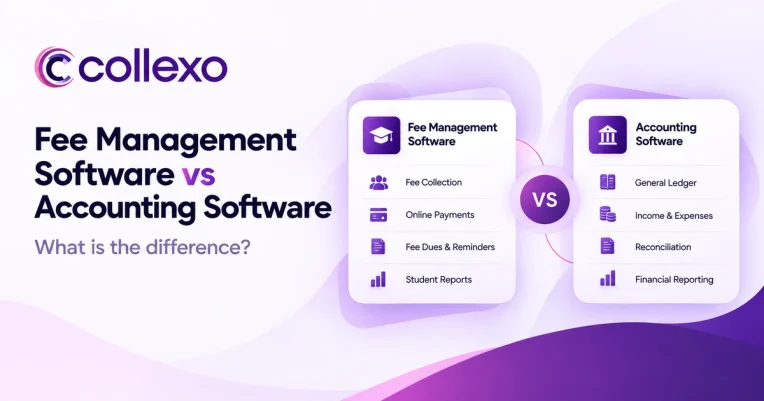
If your institution already has accounting software, why would it need fee management software too?
It is a fair question.
After all, modern accounting software can track payments, manage receivables, send invoices, reconcile bank transactions, and produce financial reports.
However, fee management vs accounting software are built to solve different problems.
Accounting software focuses on the institution’s overall finances. Fee management software focuses on the financial relationship between the institution and each student.
That difference affects everything from how fees are set up to how payments are tracked.
So, instead of asking which software is better, institutions should ask a more useful question:
Which system should manage each part of the fee and finance journey?
Fee management vs accounting software: the short answer
The main difference between fee management vs accounting software is what each system is designed to manage.
Fee management software manages student fees. It helps institutions define what each student owes, collect payments, track dues, manage instalments, apply scholarships or concessions, issue receipts, and reconcile payments.
Accounting software, on the other hand, manages the institution’s wider finances. It covers areas such as accounts receivable, accounts payable, expenses, bank accounts, tax, the general ledger, and financial statements.
Oracle, for example, describes accounting software as technology used to record and manage financial transactions across areas such as accounts payable, accounts receivable, assets, revenue, and the general ledger. Read Oracle’s explanation of accounting software.
Therefore, the two systems are not always substitutes.
For many educational institutions, they work better together.
Student fee operations → Fee management software → Accounting system
Fee management software vs accounting software at a glance
| Area | Fee Management Software | Accounting Software |
|---|---|---|
| Main purpose | Manage student fee operations | Manage organisation-wide finances |
| Core record | Student and fee obligation | Account and financial transaction |
| Fee structures | Built around programmes, campuses, batches, and students | Usually managed through customers, invoices, items, or account codes |
| Instalments | Linked to student fee schedules | May support staged or recurring payments |
| Scholarships and concessions | Applied directly to student dues | Usually recorded as adjustments or discounts |
| Student dues | Shows what each student has paid and still owes | Tracks receivables from customers or parties |
| Payment collection | Supports student and parent payment journeys | May support payments through integrations |
| Fee reminders | Based on student dues and due dates | Usually linked to invoice status |
| Payment mapping | Connects payment to student and fee | Connects payment to invoice or account |
| Fee reconciliation | Links fees, students, transactions, and settlements | Matches books with bank and financial records |
| Vendor expenses | Not the main purpose | Core capability |
| Payroll | Not the main purpose | Often supported directly or through integrations |
| General ledger | Usually connects with it | Core capability |
| P&L and balance sheet | Not the main purpose | Core capability |
| Best suited for | Running the student fee lifecycle | Running the institution’s financial books |
There is clearly some overlap.
For example, both systems may track payments and outstanding amounts. Both may also support reports and reconciliation.
Still, similar features do not mean the systems serve the same purpose.
The real difference is what the software understands
Feature lists often make fee management and accounting software look more similar than they really are.
The bigger difference lies underneath.
It is about the information each system is designed to understand.
Consider a student who has an annual fee of ₹1,20,000.
An accounting system may need to know:
Student or party: Riya Sharma
Amount due: ₹1,20,000
Amount received: ₹40,000
Outstanding: ₹80,000
That information is important.
However, the institution may also need to know:
Programme: B.Tech CSE
Campus: Delhi
Academic session: 2026
Tuition fee: ₹1,00,000
Hostel fee: ₹40,000
Scholarship: ₹20,000
Payment plan: Three instalments
Current instalment: ₹40,000
Next due date: 15 November
Payment status: Paid
Receipt status: Generated
Now the difference becomes clearer.
The accounting system needs the financial result.
The fee system needs to understand how that result was created for that student.
In other words:
Accounting asks: What financial entry should we record?
Fee management asks: What should this student pay, when should they pay it, and what needs to happen next?
That is why an education-focused fee platform such as Collexo Fee Management is built around fee structures, schedules, instalments, student dues, concessions, and payment records.
What does fee management software manage?
A fee management system starts before the payment happens.
First, the institution defines what a student needs to pay.
This may include:
- Tuition fees
- Admission fees
- Hostel fees
- Transport fees
- Examination fees
- Registration fees
- Other programme or student-specific charges
Next, the institution may need to add payment schedules, scholarships, concessions, late fees, or individual exceptions.
The system then carries that information into collection and reconciliation.
As a result, the fee lifecycle can stay connected:
Set up fees → Assign dues → Collect payments → Track balances → Reconcile → Report
For example, an institution may have one fee structure for B.Tech students and another for MBA students.
Meanwhile, students within the same programme may also have different scholarships or payment schedules.
If a student receives a scholarship, their payable amount changes.
Similarly, when a partial payment is made, the remaining due should change automatically.
If a refund happens later, the student’s payment history needs to reflect that too.
Therefore, the system is not simply recording money received.
It is managing the current state of each student’s fees.
What does accounting software manage?
Accounting software works across the institution, not only student fees.
Its role is much wider.
Typically, accounting software may manage:
- Accounts receivable
- Accounts payable
- Vendor payments
- Operating expenses
- Bank accounts
- Payroll
- Assets
- Taxes
- Journal entries
- General ledger
- Cash flow
- Profit and loss
- Balance sheet
For example, Zoho Books includes functions for receivables, payables, banking, tax, reporting, and general accounting.
These areas are essential for the finance team.
However, they are not the same as managing programme-wise fees, student instalments, scholarships, or payment reminders.
That is why fee software should not try to replace the institution’s complete accounting system.
Instead, each system should focus on the job it handles best.
One payment creates two different records
Imagine that a parent pays ₹50,000 towards a semester fee.
The fee team may need to answer:
- Which student made the payment?
- Which programme does the student belong to?
- Which fee was paid?
- Was it a full or partial payment?
- What amount is still due?
- Should future reminders stop?
- Was a receipt generated?
- Has the payment been settled?
The accounting team, however, may need to know:
- Which receivable should reduce?
- Which account should receive the entry?
- Which bank received the money?
- How should it appear in the ledger?
- How should it affect financial reporting?
Both views matter.
However, they serve different purposes.
This is why asking whether accounting software can “collect fees” is not enough.
A better question is:
Can the system handle the full education fee workflow without relying on spreadsheets, manual mapping, or separate payment dashboards?
Fee management vs accounting software: who should own what?
Clear ownership prevents the same work from being repeated in different systems.
Here is a practical way to divide responsibilities.
| Process | Primary System | Why |
|---|---|---|
| Programme-wise fee structures | Fee management | Depends on academic rules |
| Student-level fee assignment | Fee management | Needs student-specific dues |
| Instalment schedules | Fee management | Linked to due dates and payment plans |
| Scholarships and concessions | Fee management | Changes what the student owes |
| Late fees and penalties | Fee management | Linked to student payment status |
| Student payment reminders | Fee management | Should react to current dues |
| Parent or student payment journey | Fee management | Needs fee context at payment |
| Payment-to-student mapping | Fee management | Connects money to the correct student |
| Receipts | Fee management | Part of the student’s fee record |
| Payment reconciliation | Fee management | Links fee, student, payment, and settlement |
| Accounts receivable | Accounting | Part of wider financial control |
| Accounts payable | Accounting | Covers vendors and expenses |
| General ledger | Accounting | Core accounting function |
| Payroll | Accounting or payroll system | Not a student fee process |
| Fixed assets | Accounting | Institution-wide finance function |
| P&L and balance sheet | Accounting | Financial reporting |
| Tax and statutory records | Accounting | Part of wider compliance |
The goal is not to create more systems.
Instead, the goal is to give each system clear responsibility.
Reconciliation shows why the difference matters
The term reconciliation sounds simple.
In practice, though, education payments may need several types of matching.
1. Which student made the payment?
A bank credit alone does not tell the complete story.
First, the institution needs to connect the payment with the correct student.
2. What was the student paying for?
Next, the payment may need to reduce a specific fee, such as tuition, hostel, transport, or an instalment.
3. Did the payment provider settle the right amount?
A successful payment does not always mean the process is finished.
For instance, teams may still need to track settlements, refunds, reversals, or payment exceptions.
4. Does the final amount match the institution’s books?
Finally, the financial records need to agree with bank and accounting records.
This is where fee management and accounting meet.
Collexo Payment Reconciliation helps institutions connect payment records with students, transactions, and settlements.
Meanwhile, the accounting system maintains the institution’s wider financial records.
Therefore, the two types of reconciliation support each other rather than compete.
Can accounting software manage student fees on its own?
Yes, in some cases.
For example, a small institution may have:
- One campus
- A few programmes
- Simple annual fees
- Few scholarships
- Limited payment volume
- Few payment channels
In that situation, the institution may be able to manage fees through its existing accounting or ERP system.
However, the need for a dedicated fee system increases as fee operations become more complex.
Consider an institution managing:
- Multiple campuses
- Many programmes
- Different academic sessions
- Several fee heads
- Scholarships and concessions
- Monthly or semester-wise instalments
- Partial payments
- Online and offline collections
- Recurring payment options
- EMI plans
- Refunds
- Reversals
- High payment volumes
- Student-level reminders
- Multiple bank accounts
At that point, the issue is not whether accounting software can technically create another receivable.
Instead, institutions should ask:
How much manual work is required around the accounting system to run student fees properly?
If teams still depend on spreadsheets, manual follow-ups, payment gateway exports, and separate reconciliation files, the institution already has a fee management process.
It is simply running that process manually.
What if your ERP already includes fee management?
Many education ERPs include a fee module.
Therefore, having an ERP does not automatically mean an institution needs another system.
The better approach is to test how deeply the ERP handles the fee journey.
For example, ask the system to:
- Create different fee structures for two programmes.
- Add a scholarship for one student.
- Put another student on a custom instalment plan.
- Record an online payment.
- Record an offline payment.
- Handle a partial payment.
- Process a refund.
- Show the remaining dues.
- Match the payment with settlement records.
- Pass the required information into the accounting system.
If the ERP handles the full process well, an extra fee platform may not be needed.
However, if teams still export data, maintain side spreadsheets, or manually match transactions, there is a clear gap.
Buy for the workflow, not for the software label.
When do institutions need both fee management and accounting software?
For many larger educational institutions, the answer is not one system or the other.
They need both.
However, each system should have a clear job.
A simple setup may look like this:
Student and academic systems
Provide information such as student, programme, campus, and academic session.
↓
Fee management
Handles fee structures, instalments, scholarships, concessions, penalties, and student dues.
↓
Fee collection
Supports channels such as online payments, offline collections, payment links, AutoDebit, EMI, and QR payments.
↓
Payment reconciliation
Connects students, fees, transactions, refunds, reversals, and settlements.
↓
Accounting and finance
Handles receivables, bank records, the general ledger, tax, expenses, and financial statements.
This model allows each system to do its job without losing the link between student operations and finance.
Collexo brings fee management, fee collection, and payment reconciliation together within one connected payment layer for education.
The bigger problem is not software overlap. It is broken context.
Institutions often focus on whether two platforms have similar features.
However, feature overlap is rarely the biggest problem.
Broken context is.
For example, a payment may appear in the bank but not against the student’s fee record.
A scholarship may exist in the ERP but not in the collection system.
Similarly, a refund may appear in the payment gateway while the student’s outstanding balance stays unchanged.
As more systems are added, these gaps can increase.
Therefore, a strong finance setup should preserve context as money moves across systems.
A payment should remain connected to:
Student → Fee → Payment → Receipt → Settlement → Accounting record
When that chain breaks, teams have to rebuild the connection manually.
As a result, reconciliation becomes slower and reporting becomes harder to trust.
The goal should not be to make every platform do everything.
Instead, institutions should make sure that the right information moves cleanly between them.
Five questions to ask before buying fee management software
Before adding another platform, finance and technology teams should answer these questions.
1. Can our current system model fees the way we actually charge them?
Test real cases.
Include different programmes, campuses, instalments, scholarships, fee heads, and student-level exceptions.
2. Can we see what every student owes right now?
Teams should not need three reports and a spreadsheet to calculate one student’s correct outstanding amount.
3. Does every payment stay linked to the fee?
The institution should be able to move from a payment to the student, fee, receipt, and remaining balance.
4. Can we trace a payment through settlement?
A good system should make it easier to understand whether a successful student payment was settled correctly.
5. Can financial data move into our accounting system without duplicate work?
Integration should reduce manual entry.
If a new platform creates another isolated data set, the institution simply moves the problem elsewhere.
Fee management software should make accounting cleaner, not replace it
The case for fee management software is not that accounting systems are weak.
Rather, education creates a layer of financial work that happens before transactions become accounting entries.
Students receive scholarships.
Payment schedules change.
Parents pay in instalments.
Collections happen through different channels.
Some students pay partially.
Others receive refunds.
Settlements may need investigation.
Meanwhile, outstanding dues continue to change.
A fee management system keeps these events connected to the student.
Accounting software then handles what it does best: the institution’s books, financial controls, and wider reporting.
Therefore, the strongest setup is often not a choice between fee management vs accounting software.
It is a clear connection between them.
Frequently Asked Questions
What is the difference between fee management software and accounting software?
Fee management software manages student-specific fee activities such as fee structures, instalments, scholarships, dues, collections, receipts, and reconciliation. Accounting software manages the institution’s broader finances, including receivables, payables, expenses, bank accounts, the general ledger, tax, and financial statements.
Can accounting software be used for school or college fee management?
Yes. Accounting software may be enough when fee structures and payment processes are simple. However, institutions with complex programmes, instalment plans, scholarships, payment channels, or high transaction volumes may need dedicated fee management software.
Does fee management software replace accounting software?
Usually not. Fee management software runs the student fee lifecycle, while accounting software manages the institution’s wider financial records. In many cases, the two systems work together.
What is education accounting software?
Education accounting software is finance software used by schools, colleges, universities, and other education organisations. It can manage areas such as income, expenses, receivables, payables, bank records, ledgers, tax, and financial reports. Some education ERPs also include fee management features.
What does a student fee management system do?
A student fee management system helps institutions set up fees, assign dues, create payment schedules, manage scholarships and concessions, collect payments, issue receipts, track outstanding amounts, and reconcile transactions.
Which is better: fee management software or accounting software?
Neither is better in every situation because they solve different problems. Fee management software is designed for student fee operations. Accounting software is designed for organisation-wide finance and accounting. Larger or more complex institutions may need both.
Can fee management software integrate with accounting software?
Yes. A connected setup allows the fee system to manage student-level fees, payments, and reconciliation while sending the required financial information to the institution’s accounting system.
Why not manage student fees in spreadsheets?
Spreadsheets may work at a small scale. However, they become harder to manage as programmes, students, fee plans, scholarships, payment channels, and transactions increase. They also require more manual work to keep dues, payments, and reconciliation records aligned.
Connect fee operations and finance
Your accounting software should not have to manage every student fee rule.
At the same time, your fee platform should not try to become your entire accounting system.
Collexo connects fee management, collection, and reconciliation in one education-focused payment system while working with the wider finance and technology stack your institution already uses.
Explore Collexo to connect student fee operations with finance without adding more manual work between the two.