
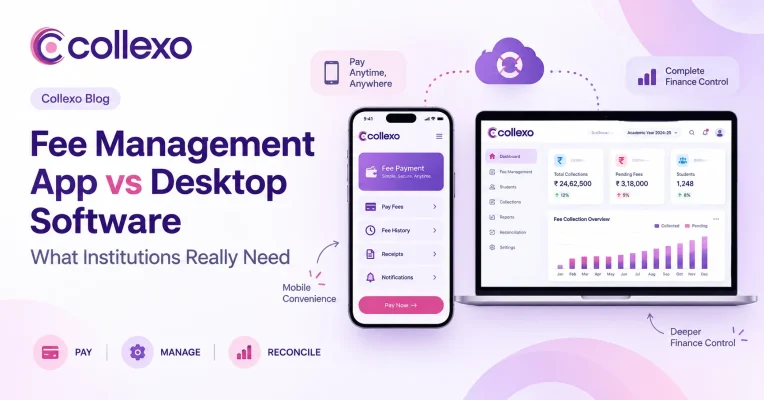
A fee management app can make paying fees much easier. However, should an institution run its entire fee operation from a mobile app?
Usually, no.
That does not mean desktop software is always the better answer either.
A parent checking an outstanding fee at 9 PM has very different needs from a finance manager reconciling 2,000 transactions the next morning. The parent wants to see the amount due, pay quickly and find a receipt. Meanwhile, the finance manager needs fee structures, payment records, settlements, reports and controls.
So the real decision is not:
App or desktop?
It is:
Can every user access the same fee system in the way that works best for their job?
For most institutions, the better model is a cloud-based fee management system that gives students and parents a simple mobile experience while giving finance teams a deeper browser-based workspace.
The screen may change.
The financial record should not.
First, what does a fee management app actually mean?
The term fee management app can describe two very different products.
One is a fee payment app for students and parents. It may let families:
- view current dues,
- make fee payments,
- check payment history,
- access receipts, and
- receive payment updates.
The other is an institution-facing app that gives staff access to selected finance tasks from a phone.
Although both use mobile, the jobs they solve are different.
Students and parents usually enter a fee app to complete one quick task. For example, they may want to check a due date, pay an instalment or download a receipt.
Finance teams work differently. They may spend hours creating fee structures, checking transactions, reviewing settlements and resolving payment issues.
Therefore, the same interface does not need to serve everyone.
Students need simplicity. Finance teams need depth.
Desktop software can mean two different things too
There is another distinction worth making.
Using fee software on a desktop computer is not the same as using traditional desktop software.
Traditional desktop software usually refers to an application installed on a particular computer or local network. As a result, access and data may depend on that setup.
A cloud-based system can still give finance teams a full desktop experience. However, teams access it through a browser rather than relying on software installed on one particular machine.
So the comparison is not simply:
Mobile screen vs large screen.
Instead, institutions should think about:
Device-bound software vs a connected system that can work across devices.
Fee management app vs desktop software: a quick comparison
| Requirement | Fee management app | Traditional desktop software | Cloud-based fee management |
|---|---|---|---|
| Student and parent payments | Strong | Limited | Strong |
| View dues and receipts on the go | Strong | Limited | Strong |
| Complex fee setup | Limited on mobile | Strong | Strong |
| Bulk finance work | Limited | Strong | Strong |
| Multi-campus access | Depends on system | Can be difficult | Strong |
| Remote finance access | Usually possible | Often restricted | Strong |
| Reconciliation and exception handling | Less suited to detailed work | Strong | Strong |
| Shared, current fee data | Depends on backend | Can depend on local setup | Strong |
| Software updates | Usually centralised | May require local updates | Centralised |
| Student self-service | Strong | Limited | Strong with mobile access |
| Detailed reporting | Limited by screen | Strong | Strong |
| Best fit | Quick payer journeys | Local back-office operations | Connected fee operations |
The comparison reveals something important.
A mobile app and a desktop screen are only interfaces.
What matters more is the fee system behind them.
Where a fee management app works best
A good fee management app removes friction from simple, frequent tasks.
Consider the parent experience.
A parent gets a reminder that the next instalment is due. They open the app, see the amount, make the payment and access the receipt.
As a result, the entire journey can happen without contacting the accounts office.
That is where mobile works particularly well.
Let families check dues themselves
Parents should not need to call the institution just to ask:
“How much do I need to pay?”
Instead, a mobile fee experience can show the current due amount, due date and relevant fee details whenever they need them.
This gives families more control. At the same time, it can reduce routine queries for the institution.
Make payments easier to complete
A fee payment app can shorten the path between seeing a due amount and paying it.
That matters because payment convenience can affect whether a parent completes the payment immediately or postpones it.
Therefore, the value of mobile is not simply that an institution “has an app.”
The real value is that the app removes unnecessary steps from the payment journey.
Keep receipts within reach
Parents may need receipts for their own records, reimbursements or other purposes.
Instead of asking finance to resend an old receipt, they should be able to find it themselves.
A fee management app can make payment history and receipts available directly to families.
Keep payment information accessible
Mobile access also makes it easier for students and parents to check dues and previous payments without waiting for the finance office.
In other words, mobile fee management works best when it turns routine fee interactions into self-service.
Collexo follows this approach through its student and parent experience, where families can view dues, make fee payments and access receipts alongside other payment-related information.
Explore Collexo Fee Management
Where a fee management app becomes limiting
Mobile works well when a task is quick.
Finance work often is not.
Imagine reviewing hundreds of student records, checking settlement issues, creating several programme-specific fee structures or analysing collection reports on a small phone screen.
The system may technically allow it.
However, that does not make it an efficient way to work.
A fee management app alone becomes limiting when teams need to see and act on a large amount of information at once.
Setting up complex fees
A university may charge different fees by programme, campus, intake, semester or student category.
In addition, finance may need to manage instalment plans, scholarships, concessions and penalties.
A larger browser-based workspace gives teams more room to understand those rules together.
Therefore, complex setup should not be squeezed into a mobile interface simply because mobile access exists.
Working across many students
Finance teams rarely work on one record at a time.
For instance, they may need to check hundreds of outstanding dues or review payments across an entire programme.
That type of work needs tables, filters and a clear way to compare records.
A desktop or browser workspace is naturally better suited to it.
Resolving payment issues
Easy transactions usually require very little finance effort.
The difficult ones consume time.
For example:
- a payment cannot be matched,
- a settlement amount looks different,
- a refund needs review,
- a payment went against the wrong fee,
- a student made a partial payment, or
- an exception appears during reconciliation.
In these cases, finance needs context.
A mobile finance app may help someone spot an issue. However, a full workspace is usually better for investigating and resolving it.
Analysing collections
A manager may be happy to see a simple collection percentage on mobile.
Finance teams often need the details underneath it.
For example, a dashboard may show:
92% collected
The next question is:
What is happening with the remaining 8%?
To answer that, finance may need to break the data down by programme, campus, fee head, student or date.
Therefore:
Mobile is useful for visibility. A full workspace is better when teams need to investigate.
Where traditional desktop software can still work
Traditional desktop software is not automatically a poor choice.
Some institutions may have one location, a small finance team and a stable process. They may also use only a few payment methods.
In that environment, existing desktop software may continue to do its job.
However, problems can appear as fee operations expand.
For example:
Can a finance employee work securely from another campus?
Can parents check the latest amount due without calling the office?
Will an online payment update the student record automatically?
Can different campuses work from the same fee information?
Can finance follow a transaction through to settlement?
Can another team see the latest payment status without waiting for an export?
As these requirements grow, the question changes.
It is no longer:
“Does our desktop software work?”
Instead, institutions should ask:
“How much extra work do we need around the software to keep everyone connected?”
That is a much more useful test.
The better model: one fee system, different experiences
Consider a single tuition payment.
A parent may see:
₹45,000 due → Pay now → Payment successful → Receipt
Meanwhile, finance may see:
Student → Tuition fee → ₹45,000 payment → Transaction reference → Settlement → Reconciled
Leadership may only need:
Tuition fees: 91% collected
These are three different views.
However, they describe the same financial event.
That is the principle institutions should keep in mind when evaluating a fee management app:
Different users need different experiences, but they should not need different versions of the truth.
The student app, finance workspace and management reports should all connect to the same underlying fee and payment records.
That matters far more than deciding which screen is “better.”
Run the one-payment test before choosing software
Institutions can make the comparison much more practical by following one payment from start to finish.
First, look at the student’s mobile experience.
Can the student see the correct amount due?
Can they understand what the fee is for?
Can they make the payment?
Does the payment status update correctly?
Can they access their receipt later?
Then move to the finance workspace.
Did the payment reach the correct student record?
Did it apply to the correct fee?
Can finance see the transaction reference?
Can the team track the settlement?
If a refund happens later, does the record stay connected?
This simple test often reveals more than a long feature checklist.
If a parent sees one status while finance sees another, the problem is not the phone or desktop.
The problem is that the underlying records are disconnected.
Therefore, a strong fee management app should also be judged by what happens after the payer closes the app.
Which interface fits which fee task?
Not every task needs to work the same way on every device.
| Use case | Mobile-first | Desktop/browser-first | Useful on both |
|---|---|---|---|
| Parent checks amount due | ✓ | ||
| Student makes a payment | ✓ | ||
| Access a receipt | ✓ | ✓ | |
| Finance creates fee structures | ✓ | ||
| Set instalment rules | ✓ | ||
| Review student dues in bulk | ✓ | ||
| Check high-level collections | ✓ | ||
| Investigate unmatched payments | ✓ | ||
| Review settlements | ✓ | ||
| Review payment history | ✓ | ||
| Manage multiple campuses | ✓ | ✓ | |
| Check leadership metrics | ✓ | ✓ |
The lesson is simple.
Institutions do not need to force every financial task into the same interface.
Instead:
Put each task where it is easiest to complete, while keeping the data connected underneath.
Cloud-based does not mean mobile-only
This distinction is important when institutions compare software.
A cloud-based fee management system does not mean finance teams must manage everything from a phone.
“Cloud-based” describes how the system and data are delivered. It does not dictate the size of the screen.
Therefore, one cloud system can offer:
- a mobile experience for students,
- self-service access for parents,
- a detailed browser workspace for finance,
- role-based access for administrators,
- dashboards for leadership, and
- shared access across campuses.
This gives each user the right experience without splitting the financial data.
Collexo takes this approach by bringing fee setup, collection, payment records and reconciliation into one connected Payment Cloud while also supporting a mobile fee experience for students and parents.
Explore Collexo Fee Collection
Security should be part of the comparison too
Cloud vs desktop comparisons often turn into a simple security debate.
That is not very useful.
Local software is not automatically secure simply because it sits on an institution’s systems. Likewise, cloud software is not automatically secure because a provider hosts it.
Instead, institutions should examine the controls around the system.
For example:
Who can access student financial data?
What can each user view or change?
Can access depend on role?
How does the system handle authentication?
Can the institution remove access quickly when an employee leaves?
Does the system record important activity?
How are backups handled?
What happens if there is an outage?
MeitY’s cloud security guidance also highlights areas such as multi-factor authentication, role-based access and least-privilege controls.
Institutions can review the official MeitY Cloud Security Best Practices.
So security should remain a vendor-evaluation question.
It should not be assumed simply from the words “desktop,” “mobile” or “cloud.”
What should institutions evaluate instead of app vs desktop?
Rather than asking which device wins, institutions should ask whether the fee system supports the complete financial journey.
Does everyone work from the same fee information?
A parent should not see one amount while finance sees another.
Therefore, check whether payments, dues and changes update across the system.
Can finance manage real fee complexity?
Do not evaluate only the payment screen.
Look at fee structures, instalments, scholarships, concessions, penalties and student-level changes too.
Can families complete simple tasks themselves?
A useful fee management app should reduce the need to contact finance for basic tasks.
That includes viewing dues, paying fees and finding receipts.
Does every payment return to the correct student?
Accepting money is only part of the job.
The system also needs to know who paid, what they paid for and how that payment affects the student’s fee position.
Can finance follow the money after payment?
A successful transaction is not the final step.
Finance also needs to follow settlements, refunds, reversals and payment exceptions.
That is why payment reconciliation should connect back to the student and fee record.
Explore Collexo Fee Payment Reconciliation
Can the system grow with the institution?
Today’s requirements may be simple.
However, the institution may later add campuses, programmes, fee structures or payment methods.
Therefore, teams should assess whether the system can grow without recreating the fee operation from scratch.
Can access match each user’s job?
Not every person needs the same finance access.
A system should let institutions give people the information and actions relevant to their work without opening every financial record to everyone.
App-only, desktop-only or connected cloud: what should you choose?
There is no universal answer. However, the use case usually makes the right direction clear.
An app-only model can work when
The fee process is simple and the main need is giving students or parents an easier way to pay.
However, finance may still need another system to manage the wider fee operation.
Traditional desktop software can work when
The finance operation is highly local, requirements are stable and the current software already handles the institution’s reporting, controls and integrations well.
Even then, teams should assess whether future digital payments, new campuses or remote access will create limitations.
Connected cloud-based fee management makes sense when
Students need an easy mobile payment journey and finance teams need deeper control over fee setup, collections, records, reconciliation and reporting.
For many institutions, that is the more useful model.
Not:
Mobile instead of desktop.
And not:
Desktop instead of mobile.
Instead:
One connected fee system, with the right experience for each user.
What should a modern fee management app really achieve?
The success of a fee management app should not depend on how many finance screens someone can squeeze onto a phone.
For students and parents, success means fewer steps to understand dues, make a payment and find a receipt.
Meanwhile, finance teams should see fewer disconnected records and spend less time fixing information after payments happen.
Leadership needs something different again: a clear view of what the institution has billed, collected, settled and still needs to collect.
These users need different experiences.
They should not need different systems.
That is ultimately what institutions should look for:
A mobile experience where mobile makes the journey easier. A full workspace where finance needs depth. One connected financial record underneath both.
Explore cloud-based Fee Management
Collexo brings fee management, collection and reconciliation into one connected Payment Cloud.
Students and parents get a convenient way to view dues, make payments and access receipts. At the same time, finance teams get the deeper workspace they need to manage fees, track collections and reconcile payments.
Explore Collexo Fee Management
Frequently asked questions
What is a fee management app?
A fee management app is a mobile app or mobile-friendly experience used for parts of the fee journey. For students and parents, it may include checking dues, paying fees, viewing payment history and accessing receipts. Some systems also give staff mobile access to selected finance information.
Is a fee management app better than desktop software?
It depends on the task. A fee management app works well for quick actions such as checking dues or making a payment. However, a larger browser or desktop workspace is better suited to detailed fee setup, bulk work, reconciliation and reporting.
What is the difference between a fee payment app and fee management software?
A fee payment app mainly helps students or parents view and complete payments. Fee management software covers a wider process, which can include fee setup, instalments, concessions, collections, payment records, receipts, outstanding dues, reconciliation and reporting.
Can finance teams manage fees from mobile?
Finance teams can handle some tasks on mobile, such as checking collection summaries or looking up a student record. However, complex setup, bulk operations and transaction investigation are generally easier in a browser-based workspace.
Does cloud-based fee management software work on desktop computers?
Yes. Cloud-based does not mean mobile-only. Finance teams can use cloud software from a desktop or laptop browser while students and parents use a mobile app or mobile-friendly experience.
Is desktop fee software safer than a cloud-based finance app?
Not automatically. Security depends on controls such as authentication, permissions, access management, logging, data protection and backups. Therefore, institutions should assess the security of the specific product rather than making the decision only on where the software runs.
What should institutions look for in mobile fee management?
Institutions should check whether students can see accurate dues, make payments and access receipts easily. Just as importantly, those actions should update the same records that finance teams use for collections and reconciliation.
Do institutions need both a mobile app and a finance dashboard?
For many institutions, yes. However, both should ideally connect to the same system. Students and parents benefit from a simple mobile journey, while finance teams need a deeper workspace for managing fees, payment records, settlements and reports.