
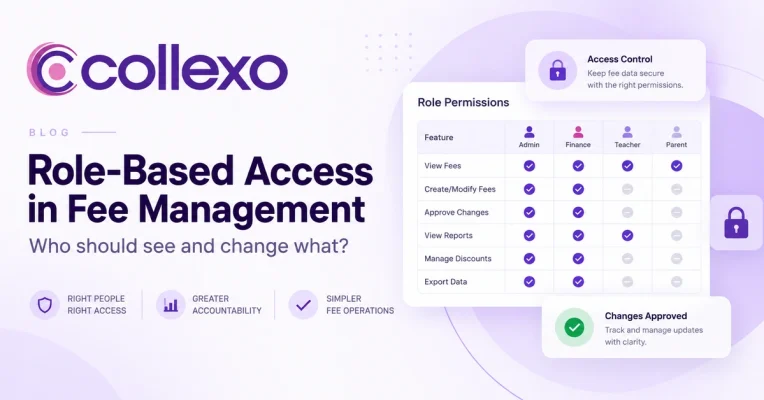
Fee management access control should answer more than one question: who can log in?
In a finance system, access has several layers. A user may need to see student dues but should not necessarily be allowed to change them. Another person may need to create a refund request, while someone else should approve it.
So the real questions are:
Who can see student dues?
Who can create or change a fee?
Who can approve a concession?
Who can initiate a refund?
Who can approve that refund?
Who can change bank or settlement settings?
And, importantly, if someone changes a financial record, can the institution see exactly what happened later?
These questions matter because fee systems hold two sensitive things at once: student information and financial information.
Giving everyone broad access may make work faster at first. However, it also makes errors, unauthorised changes and unclear accountability harder to control.
At the other extreme, too many restrictions can slow finance teams down. If every small change needs central approval, routine work starts waiting in queues.
Therefore, good fee management access control is not about restricting everything.
It is about giving each person enough access to do their job, adding approval where risk increases, and keeping important actions traceable.
A useful principle is:
See what you need. Change what you own. Approve what you are accountable for. Trace what happened afterwards.
What is fee management access control?
Fee management access control defines which users can view, create, edit, approve or manage different parts of an institution’s fee operations.
For example, a campus accountant may need to view student dues, record offline payments and issue receipts.
A finance manager may need those permissions too. In addition, they may need authority to approve refunds and concessions.
Meanwhile, a central administrator may need to configure fee structures, users or bank-routing rules.
These roles should not automatically have the same permissions.
Good access control therefore separates three things:
Role: What responsibility does this person have?
Permission: What actions can they perform?
Scope: Which students, campuses, programmes or records can they act on?
That third point is especially important.
A campus accountant may have permission to issue receipts, but only for Campus A. A regional finance manager may have the same permission across five campuses.
The action is the same.
The scope of access is different.
Access control is part of finance operations, not just IT security
Institutions sometimes treat permissions as an IT setting.
Finance teams should treat them as part of the operating model.
Consider a ₹50,000 student refund.
If anyone in the finance team can create and complete that refund without another review, the institution has a control gap.
Now consider the opposite case.
If the CFO needs to approve a ₹100 correction because every financial action uses the same approval rule, the institution has created unnecessary delay.
Therefore, finance permissions should match the risk of the action.
Routine work can move quickly.
Higher-risk changes should have stronger controls.
Instead of asking:
“How restrictive should our system be?”
ask:
“Where would an incorrect or unauthorised action create real financial risk?”
That is where stronger controls belong.
Start with the principle of least privilege
One of the most useful access-control principles is least privilege.
NIST describes least privilege as giving users only the access and authorisations they need to perform their assigned work.
That idea translates well into education finance.
For example, a front-desk user who records a cash payment may need to:
- view the student,
- confirm the fee due,
- record the payment, and
- issue a receipt.
However, they probably do not need to:
- change fee structures,
- edit bank-routing rules,
- approve refunds, or
- view every campus.
Similarly, a reporting user may need group-level finance visibility without any permission to edit records.
So the principle is simple:
Access should follow the job, not the seniority of the login.
Read NIST’s definition of least privilege
A practical role matrix for education fee management
There is no universal access model for every institution. However, this matrix gives finance teams a useful starting point.
| Action | Fee Counter / Cashier | Campus Finance | Finance Manager | Central Finance | System Admin |
|---|---|---|---|---|---|
| View assigned student dues | ✓ | ✓ | ✓ | ✓ | As required |
| Record permitted payments | ✓ | ✓ | ✓ | ✓ | |
| Issue or access receipts | ✓ | ✓ | ✓ | ✓ | |
| View campus collections | Limited | ✓ | ✓ | ✓ | |
| Create fee structures | Limited | ✓ | ✓ | ||
| Change fee amounts | Limited | ✓ | ✓ | ||
| Apply routine concessions | If permitted | ✓ | ✓ | ||
| Approve high-value concessions | ✓ | ✓ | |||
| Initiate refund | ✓ | ✓ | ✓ | ||
| Approve refund | ✓ | ✓ | |||
| Change bank or routing setup | Limited | ✓ | Limited technical access | ||
| Reconcile payments | ✓ | ✓ | ✓ | ||
| View group-level reporting | Limited | ✓ | |||
| Manage users and permissions | Limited | ✓ | |||
| Change audit logs | No routine user should |
The exact matrix will vary by institution.
Still, one principle should stay consistent:
Permission to perform an action should not automatically mean unlimited scope or approval authority.
Separate view access from change access
This is one of the easiest ways to strengthen fee management access control.
Seeing a record is not the same as changing it.
For instance, a department head may need to see student outstanding fees, collection progress and payment status.
That does not mean the same person needs permission to change fee amounts, scholarships, refunds or payment records.
Similarly, leadership may need complete financial visibility while remaining read-only users.
This separation lets institutions provide transparency without giving unnecessary write access.
Think of permission levels as a sequence:
View → Create → Edit → Approve → Configure
In general, risk increases as you move to the right.
Therefore, these permissions should not automatically travel together.
Some financial actions need stronger controls than others
Not every action carries the same risk.
Recording a payment against a clearly identified student is different from changing the amount that student owes.
Likewise, downloading a report is very different from changing a settlement account.
So institutions should classify sensitive actions.
Fee structure changes
A single fee change can affect many students.
Therefore, access to fee heads, amounts, due dates, instalment plans, penalties and other financial rules should remain limited.
Concessions and waivers
Concessions directly change how much an institution expects to collect.
Routine concessions may follow pre-approved rules. However, larger or unusual adjustments may need a second review.
Refunds
Refunds move money in the opposite direction.
For that reason, they are a natural candidate for stronger approval controls, especially above defined thresholds.
Bank and settlement configuration
Changes to settlement accounts or routing rules can affect where institutional funds move.
As a result, only tightly controlled roles should have this access.
User permissions
Access control itself is sensitive.
A user who can give themselves broader finance permissions can weaken every other control.
Therefore, permission administration should remain restricted and traceable.
Maker-checker: one person creates, another approves
The maker-checker model is one of the most useful controls for sensitive financial actions.
The concept is simple:
Maker: creates or initiates the action.
Checker: reviews and approves or rejects it.
For example:
Refund request created → Details reviewed → Manager approves → Refund proceeds
The same approach can apply to high-value concessions, sensitive fee changes or bank-setting updates.
RBI guidance for regulated financial entities also uses segregation-of-duties and maker-checker principles in financial controls. Education institutions are not banks, so those rules should not be treated as direct regulation for schools or colleges.
However, the control logic is highly relevant:
The person who creates a high-risk financial change should not always be the only person who can complete it.
A practical maker-checker approval flow
A strong approval flow does not need to be complicated.
Consider a refund.
Step 1: The maker initiates the request
A finance user selects the original student payment.
They enter the refund amount, reason, relevant payment reference and any supporting details.
Step 2: The system shows the financial context
Before approval, the checker should be able to see the key facts clearly.
For example:
Original payment: ₹80,000
Already refunded: ₹0
Requested refund: ₹20,000
Student: Riya Sharma
Fee head: Tuition
Payment reference: CLX48291
This allows the checker to review the actual financial event rather than approving an isolated request.
Step 3: The checker reviews the request
An authorised manager can then approve, reject or return the request where the workflow supports it.
Step 4: Both users remain visible in the history
The record should show:
Created by: User A
Approved by: User B
Date and time: Recorded
Reason: Recorded
Step 5: The original payment remains intact
The ₹80,000 transaction should not simply become ₹60,000.
Instead, finance should see:
Original payment: ₹80,000 → Refund: ₹20,000 → Net retained: ₹60,000
This is where maker-checker and the audit trail work together.
Collexo’s control model includes role-based access, controlled permissions, maker-checker workflows, transaction-level tracking and access logging.
Maker-checker should be risk-based
A common mistake is adding approval to every action.
At first, that may feel safer.
In practice, it can create approval fatigue.
If a checker receives hundreds of low-risk requests every day, they may eventually approve them without enough review.
That weakens the control.
Instead, institutions can apply maker-checker where the financial impact justifies another check.
For example:
Lower control: View payment history
Routine control: Record an approved payment
Higher control: Change a student’s payable amount
Stronger control: Approve a large refund
Highly restricted: Change settlement or bank-routing settings
The aim is not to maximise approvals.
It is to put another set of eyes where mistakes matter most.
An audit trail should show more than who logged in
An audit trail is often confused with an activity log.
A login history may tell you:
User A logged in at 10:14 AM.
That is useful.
However, finance needs more detail.
A meaningful audit trail should help answer:
Who changed the record?
What did they change?
What was the previous value?
What is the new value?
When did the change happen?
Was another user required to approve it?
Which student or payment did it affect?
These details turn the log into financial evidence rather than simple system activity.
Collexo’s product controls include audit trails around fee changes, refunds and adjustments.
The audit trail should preserve the before and after
Suppose a student’s concession changes.
Original concession:
₹5,000
Updated concession:
₹15,000
A weak log may say:
Fee record updated by User A
That tells finance very little.
A stronger record shows:
Field: Concession
Before: ₹5,000
After: ₹15,000
Changed by: User A
Approved by: User B
Date: 12 September
Reason: Approved scholarship revision
Now finance can understand the event without rebuilding it from emails or spreadsheets.
That is the real job of an audit trail.
It should explain the change, not merely prove that someone clicked something.
Finance permissions should also have a scope
Consider a multi-campus institution.
A North Campus accountant may need permission to view fees, record payments, issue receipts and reconcile transactions.
However, that access may only apply to North Campus.
A regional finance manager may need the same permissions across North, East and Central campuses.
Meanwhile, group finance may need consolidated visibility across all locations.
Therefore, finance permissions should answer two questions:
What can this user do?
and
Where can they do it?
Useful access scopes can include:
- campus,
- branch,
- programme,
- department,
- legal entity, or
- assigned student group.
Without scope, role-based access can become too broad.
Access should change when the job changes
Permissions should not be treated as a one-time setup task.
People move roles.
Employees leave.
Temporary staff join.
Campus responsibilities change.
As a result, access that made sense six months ago may no longer be appropriate today.
Institutions should therefore review permissions regularly.
A practical review asks:
Does this person still work here?
Is their current role correct?
Do they still need every assigned permission?
Has their campus or department changed?
Do any users have unusually broad financial access?
Are inactive accounts still enabled?
This is where least privilege becomes operational rather than theoretical.
Avoid shared finance logins
One practice weakens almost every access-control measure:
shared user accounts.
Suppose an institution has one login:
finance@institution.edu
Five people use it.
Later, someone changes a fee.
Who made the change?
The audit trail says:
Technically, the event was logged.
However, accountability has disappeared.
Individual user accounts solve this problem by connecting actions to identifiable people.
They also make it easier to remove one employee’s access without affecting the rest of the team.
Good fee management access control should therefore begin with named users rather than shared credentials.
Access control should follow the fee lifecycle
Instead of defining permissions only by software module, institutions can map them to the financial journey.
Consider:
Fee Setup → Collection → Receipt → Adjustment → Refund → Settlement → Reconciliation → Reporting
Then ask who should act at each stage.
A campus finance executive may handle collections.
A finance manager may approve adjustments.
Central finance may manage settlement configuration.
An auditor may only view reports and historical activity.
This creates a clearer model than assigning broad labels such as:
Admin
and
User
A security checklist for fee management access control
Before approving a fee-management system, finance and IT teams should test these questions together.
| Control question | What to look for |
|---|---|
| Can access be assigned by role? | Users receive permissions based on responsibility |
| Can access be limited by campus or other scope? | A user does not automatically see every record |
| Are view and edit permissions separate? | Read-only users cannot alter finance data |
| Can sensitive actions require approval? | Maker-checker is available for higher-risk workflows |
| Can the same user create and approve sensitive actions? | Separation of duties is enforced where needed |
| Are financial changes logged? | The system records who changed what and when |
| Can the audit trail show before and after values? | Finance can understand the actual change |
| Are refunds and adjustments traceable? | Changes remain linked to original transactions |
| Can access be removed quickly? | Departed or transferred users can be disabled |
| Are privileged permissions restricted? | Only selected users can configure sensitive settings |
| Can permissions be reviewed periodically? | Teams can identify unnecessary access |
| Does the system preserve user-level accountability? | Actions are linked to individual users |
This checklist combines security with finance operations.
That matters because a technically secure system can still have poorly designed permissions.
Do not solve permission problems by creating more admins
When teams face an access problem, the fastest workaround is often to give someone administrator access.
They need one extra report?
Make them admin.
They need to update one configuration?
Make them admin.
Over time, the institution can end up with many users who have much more authority than their jobs require.
Role-based access should prevent exactly this.
Instead of asking:
“Who needs admin?”
ask:
“Which exact action does this person need to perform?”
Then grant that capability at the narrowest practical scope.
This approach also follows the least-privilege principle.
Strong controls should make normal work faster
Strong controls and efficient finance operations are not opposites.
Poorly designed controls slow work.
Good controls remove uncertainty.
For example, a finance user should not need to email three people asking whether they are allowed to process a refund.
The system should already define who can initiate it, who can approve it, which threshold applies and what history needs to remain.
Similarly, a campus accountant should not need central-finance approval just to view their own campus collections.
A well-designed permission model makes normal work faster because responsibilities are already clear.
The principle is:
Put control into the workflow, not around the workflow.
Centralise the control framework, not every action
For larger institutions, some access rules should remain centrally governed even when finance operations happen locally.
Central finance or system administrators may define:
- user roles,
- permission templates,
- approval thresholds,
- bank-setting access, and
- audit policies.
Campus teams can then work within those controls.
This avoids two extremes.
In one, every campus creates its own permission model.
In the other, head office has to complete every financial action.
A stronger model centralises the control framework while distributing operational responsibility.
What should happen when someone leaves?
Access removal deserves as much attention as access creation.
When an employee leaves or changes roles, institutions should review their login access, approval authority, assigned campuses, financial permissions and any privileged configuration rights.
This should happen promptly.
Otherwise, a dormant account may retain access long after the business need disappears.
In particular, institutions should closely review users who can approve refunds, change fees, manage bank settings or administer other users.
The more powerful the permission, the stronger the review should be.
A simple decision framework for every permission
When deciding whether to grant access, ask four questions.
1. Does this person need to see it?
If not, do not expose the data.
2. Do they need to change it?
Viewing a record does not automatically justify edit rights.
3. Does the change need another approval?
Use maker-checker when the financial risk justifies a second review.
4. Will the action remain traceable?
Important financial actions should leave a meaningful audit trail.
Together, these questions create a useful framework:
Need to know → Need to act → Need to approve → Need to trace
That approach can guide fee management access control even when an institution has complex teams and hierarchies.
What should finance teams test in fee management software?
When evaluating a system, do not stop at:
“Does it support role-based access?”
Most enterprise products will answer yes.
Instead, ask the vendor to demonstrate a real workflow.
For example, create a ₹20,000 refund request as a campus accountant.
Then check:
Can that user complete the refund themselves?
What does their manager see?
Can the manager approve or reject it?
What happens after approval?
Does the original payment remain visible?
Can you see who created and approved the refund?
What does the audit trail show?
Next, switch to a user from another campus.
Can they see the same student?
These scenarios expose the difference between a permissions screen and an actual financial-control model.
Collexo supports role-based access across departments, controlled permissions, maker-checker workflows, access logging and audit trails for sensitive fee actions.
Explore Collexo Fee Management
Strong financial controls should make accountability obvious
The purpose of fee management access control is not to create more gates.
It is to make responsibility clear.
At any important financial moment, the institution should know:
Who could see the record?
Who changed it?
Who approved the change?
What changed?
When did it happen?
What is the financial position now?
If those questions are hard to answer, permissions alone are not enough.
The institution needs a connected control model.
That means bringing together:
Role-based access + appropriate scope + maker-checker + audit trail + regular access reviews
Together, these controls allow finance teams to move quickly without giving every user unlimited authority.
Strengthen financial controls
Collexo combines role-based access, controlled permissions, maker-checker workflows, access logging and audit trails to help education finance teams keep sensitive actions controlled and traceable. Its audit controls cover financial events such as fee changes, refunds and adjustments.
Explore Collexo Fee Management
Frequently asked questions
What is fee management access control?
Fee management access control determines which users can view, create, edit, approve or configure different parts of an institution’s fee operations. It can also limit access by campus, programme, department or other scope.
What are finance permissions?
Finance permissions define which financial actions a user can perform. For example, one user may only view payments, while another can record payments, approve refunds or configure fees.
What is maker-checker in fee management?
Maker-checker is an approval model where one person creates or initiates a sensitive financial action and another authorised person reviews it before completion.
Why is maker-checker useful?
Maker-checker supports separation of duties. As a result, a high-risk transaction does not rely on one individual to both create and approve it.
What should a fee management audit trail contain?
A useful audit trail should show who performed an action, when it happened, what record it affected and what changed. For approval workflows, it should also show the maker and checker where relevant.
Should every fee change require approval?
No. Approval should match the level of financial risk. Routine actions may not need the same controls as refunds, major concessions, fee-structure changes or bank-setting changes.
What is the principle of least privilege?
Least privilege means giving users only the access they need for their assigned work. This reduces unnecessary access to sensitive information and actions.
Should finance users share login credentials?
No. Individual accounts create clearer accountability because actions can be tied to a specific user. Shared credentials make audit logs much less useful.
How often should institutions review finance access?
There is no single frequency that works for every institution. However, permissions should be reviewed when employees join, leave or change roles, and privileged access should also be checked periodically.
What should institutions test when evaluating role-based access?
Ask the vendor to demonstrate real financial workflows. For example, test who can view a student record, create a refund, approve it, change fee settings, access another campus and review the resulting audit trail.