
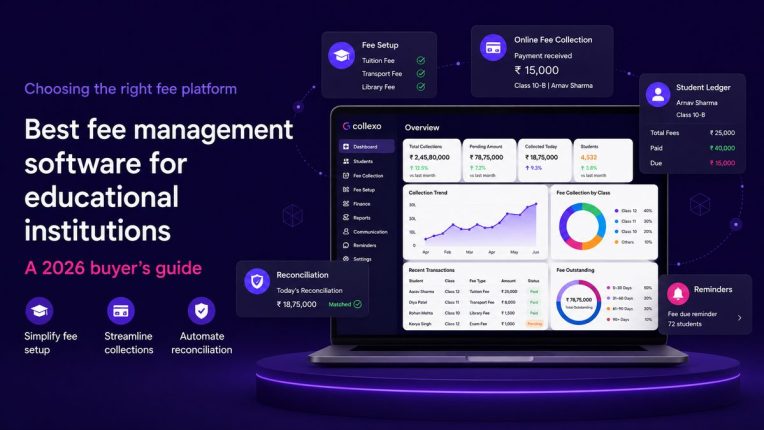
Choosing the best fee management software should not begin with one question:
Can students pay online?
Almost every payment platform can accept a transaction.
The real question is whether the software can manage everything that happens before and after the payment.
Can it configure different fee structures? Apply scholarships and concessions accurately? Track instalments? Match transactions to student records? Reconcile gateway settlements? Process refunds? Give finance teams a reliable view of collected, pending and overdue fees?
That is where the difference between basic fee collection software and a complete education fee management system becomes clear.
This 2026 buyer’s guide explains what educational institutions should evaluate, which capabilities matter most, the mistakes to avoid and when an education-focused platform such as Collexo Fee Management may be the right fit.
What is the best fee management software for educational institutions?
The best fee management software connects fee setup, invoicing, collections, reminders, student ledgers, settlements, reconciliation and reporting. Collexo is a strong choice for educational institutions that need to manage complex fee structures, multiple payment channels and finance operations through one education-focused platform.
What is fee management software?
Fee management software helps educational institutions configure, assign, collect, track and reconcile student fees.
It can manage:
- Fee structures and fee heads
- Instalments and due dates
- Scholarships and concessions
- Invoices and receipts
- Online and offline payments
- Outstanding balances
- Refunds and reversals
- Student fee ledgers
- Settlements and reconciliation
- Financial reports
A complete fee management system should connect the entire fee lifecycle:
Fee setup → Invoice generation → Payment collection → Receipt generation → Settlement → Reconciliation → Reporting
Software that only accepts payments manages one part of this process. It does not necessarily manage the complete fee operation.
Why educational institutions need better fee management software in 2026
Students and parents increasingly expect digital payment journeys to be quick, transparent and convenient.
In May 2026, UPI processed more than 23.2 billion transactions worth approximately ₹29.9 lakh crore, according to NPCI’s official UPI statistics. Digital payment convenience is no longer an additional benefit. It is part of the expected payer experience.
Students and parents want to:
- View their current dues
- Understand the fee breakup
- Choose a convenient payment method
- Complete payment without unnecessary steps
- Receive confirmation immediately
- Download invoices and receipts
- Track their payment history
For institutions, however, collecting the payment is only the beginning.
Educational institutions may need to manage:
- Application fees
- Registration fees
- Admission fees
- Tuition fees
- Semester or term fees
- Examination fees
- Hostel and transport charges
- Laboratory and library fees
- Security deposits
- Certification and convocation fees
- Late fees and penalties
- Event and activity fees
These payments may arrive through UPI, cards, net banking, payment links, QR codes, bank transfers, recurring mandates, EMI, cash, cheque or demand draft.
When fee records, payment transactions and settlements sit in different systems, finance teams must manually match payments, update ledgers, investigate mismatches and compile reports.
The best fee management software reduces this fragmentation by connecting what the student must pay with how the payment is collected, settled and recorded.
Fee collection software vs fee management software
Fee collection software and fee management software are often treated as the same thing. They solve different levels of the problem.
What basic fee collection software does
Basic fee collection software usually helps institutions:
- Accept online payments
- Generate payment links
- Issue payment confirmations
- View successful and failed transactions
- Download gateway reports
This may be enough for an institution with simple fee structures and limited operational complexity.
What complete fee management software does
A complete student fee management system should also help institutions:
- Configure programme-wise fee structures
- Manage instalments and due dates
- Apply scholarships and concessions
- Generate invoices and receipts
- Maintain student-level fee ledgers
- Track online and offline payments
- Automate fee reminders
- Process refunds and reversals
- Match transactions with settlements
- Identify reconciliation exceptions
- Manage multiple campuses and entities
- Generate finance-ready reports
A payment gateway tells you whether a transaction was processed.
Fee management software should also tell you:
- What the student was required to pay
- Which invoice or instalment was paid
- Whether the correct amount was settled
- Which fee head received the payment
- Whether any balance remains outstanding
- Whether a refund or adjustment was processed
- Whether the student ledger reflects the final position
Institutions that need to accept fees through several modes can explore how Collexo Collect centralises education fee collection across online and offline channels.
How to choose the best fee management software
The right fee software for an institution depends on its fee structures, transaction volumes, payment channels, campuses, integrations and finance processes.
Use the following criteria while evaluating platforms.
1. Evaluate fee structure flexibility
Educational fee structures are rarely identical for every student.
The amount payable may vary according to:
- Programme or course
- Class or grade
- Campus
- Academic session
- Semester or term
- Student category
- Hostel selection
- Transport route
- Scholarship eligibility
- Domestic or international status
The software should allow authorised teams to create and modify these fee structures without requiring coding or repeated vendor intervention.
It should support multiple fee heads, billing cycles, due dates and applicability rules.
Ask the vendor: Can our finance team configure a new fee plan independently?
2. Check instalment and payment-plan management
Different programmes may require different payment schedules.
A suitable fee management system should support:
- Annual payments
- Semester-wise payments
- Quarterly payments
- Monthly plans
- Milestone-based collections
- Custom instalment schedules
- Partial payments
- Advance payments
Each instalment should have its own amount, due date, grace period, late-fee rule and payment status.
The system should also ensure that a partial payment does not incorrectly mark the entire fee demand as paid.
3. Review scholarship, concession and waiver controls
Scholarships and concessions directly affect the final amount payable by a student.
Managing them through spreadsheets or informal approvals can create discrepancies and audit challenges.
The fee management software should record:
- Type of scholarship or concession
- Applicable fee head
- Amount or percentage
- Reason for the adjustment
- Approval status
- Approving authority
- Revised amount payable
- Change history
This creates greater financial control and makes each adjustment easier to verify.
4. Compare supported fee collection methods
Students and parents should be able to choose a payment method that works for them.
Depending on the institution, the software may need to support:
- UPI
- Credit cards
- Debit cards
- Net banking
- Payment links
- Dynamic QR codes
- Bank transfers
- Recurring mandates
- AutoDebit
- EMI
- Cash
- Cheque
- Demand draft
- NEFT
- RTGS
- International payments
Online and offline payments should ultimately reflect within the same student fee record.
Institutions with recurring tuition, transport, hostel or subscription-like charges should also evaluate automated recurring fee collection through Collexo AutoDebit. Once a mandate and payment schedule are authorised, future fee debits can be initiated on the configured due dates.
5. Test the student and parent payment experience
The finance dashboard matters. The payer experience matters just as much.
Students and parents should be able to:
- View current and upcoming dues
- See a clear fee breakup
- Select an available payment method
- Pay without unnecessary steps
- Check whether a payment is successful, failed or pending
- Download invoices and receipts
- View previous payments
- Raise a query when something goes wrong
A confusing payment journey can increase abandoned transactions and create more support queries for institutional teams.
During the software demonstration, do not evaluate only the administrator dashboard. Ask the vendor to show the complete parent or student journey as well.
6. Look for automated invoices, receipts and reminders
The software should automatically generate the relevant invoice or receipt when a fee is assigned or paid.
It should also trigger communication based on actual fee events, such as:
- A new invoice being generated
- An approaching due date
- A missed due date
- A failed payment
- A pending payment
- A partial payment
- A remaining balance
- A successful transaction
- A receipt becoming available
These reminders should include the correct amount, due date, payment context and payment link.
Generic reminders sent to every student can create confusion, especially when payment statuses are not updated in real time.
Collexo Fee Management supports invoices and receipts connected to payment records, as well as reminder rules based on fee status and due dates.
7. Demand a consolidated student fee ledger
Every student should have a consolidated fee ledger showing their complete financial history.
The ledger should include:
- Assigned fees
- Fee heads
- Invoices
- Instalments
- Scholarships
- Concessions
- Waivers
- Late fees
- Partial payments
- Full payments
- Refunds
- Reversals
- Adjustments
- Credit balances
- Outstanding dues
A clear student fee ledger helps finance teams answer one important question:
How was the student’s current balance calculated?
Without this visibility, teams may need to compare spreadsheets, gateway reports and accounting records manually.
8. Prioritise automated fee reconciliation
Reconciliation is one of the most important parts of fee management.
It is also one of the most frequently overlooked during software evaluation.
A complete platform should connect:
- The student fee demand
- The invoice
- The payment transaction
- The gateway response
- The settlement
- The bank credit
- Any deduction
- Any refund or reversal
The software should also identify exceptions such as:
- Duplicate payments
- Unidentified bank transfers
- Unsettled transactions
- Settlement amount mismatches
- Successful payments missing from student records
- Refunds not reflected in the fee ledger
- Gateway deductions requiring review
Without reliable reconciliation, an institution may collect digitally but still depend on spreadsheets to close its books.
Collexo’s fee reconciliation software connects fee records with transactions, settlements, refunds, reversals and bank-level collection data. It also supports reconciliation across digital and offline payment methods.
9. Examine refund and adjustment management
Refunds should not be processed as isolated banking transactions.
Every refund, reversal or adjustment should be connected to:
- The student
- The original payment
- The invoice
- The fee head
- The reason
- The approval workflow
- The revised ledger balance
This prevents a student record from continuing to show a collected amount after the payment has been returned.
The system should also maintain a traceable record of who initiated, approved and completed the refund.
10. Check multi-campus and multi-entity capabilities
Educational groups operating several schools, colleges, campuses or legal entities need both local control and central visibility.
The fee software should support:
- Campus-specific fee structures
- Separate bank accounts
- Different collection rules
- Entity-specific invoices
- Role-based access
- Campus-wise reports
- Consolidated group reports
- Settlement routing by campus or fee head
A system built for one institution may not automatically work for a multi-campus group.
Evaluate whether the platform can manage organisational complexity without requiring disconnected setups for every campus.
11. Verify integrations with institutional systems
Fee management software should connect with the systems already used by the institution.
These may include:
- ERP
- Student Information System
- CRM
- Admission management system
- Accounting software
- Learning Management System
- Payment gateways
- Communication platforms
- Banking and settlement systems
Ask how the integration works.
Is data exchanged through:
- APIs
- Webhooks
- Scheduled synchronisation
- File uploads
- Manual exports and imports
The objective should be to reduce duplicate data entry, not introduce another disconnected dashboard.
Collexo supports API-based integrations with institutional ERP and student information systems, allowing student data and payment information to move between platforms.
12. Assess reporting and financial visibility
A downloadable transaction file is not a complete reporting system.
Finance and leadership teams should be able to monitor:
- Total fees assigned
- Total amount collected
- Outstanding dues
- Overdue fees
- Collection rate
- Payment-mode distribution
- Campus-wise collections
- Programme-wise collections
- Fee-head-wise collections
- Settlement status
- Pending transactions
- Failed transactions
- Refunds and reversals
- Unmatched transactions
- Expected future collections
Users should also be able to move from a high-level number to the relevant campus, programme, invoice, transaction or student record.
This drill-down capability makes reports more useful for decision-making and issue resolution.
13. Validate security, permissions and audit trails
Fee data is sensitive financial information.
The platform should include:
- Role-based access
- Approval workflows
- Maker-checker controls
- Secure authentication
- Secure data transmission
- Activity logs
- Configuration history
- Transaction-level audit trails
- Controlled data exports
- Exception monitoring
Ask the vendor to demonstrate how unauthorised fee changes, concessions, waivers and refunds are prevented or recorded.
Do not accept a generic security presentation. Ask how controls work inside actual fee-management workflows.
14. Evaluate implementation and ongoing support
A capable platform can still fail if its implementation is weak.
Before choosing a vendor, clarify:
- Who will configure the initial fee structures?
- How will historical fee data be migrated?
- How will opening balances be validated?
- Which integrations are included?
- What inputs are required from the institution?
- How will finance users be trained?
- What support is available during peak collection periods?
- How are product issues escalated?
- Who will manage the account after launch?
Institutions should treat implementation capability as an important part of the product evaluation—not as an afterthought after the contract is signed.
Fee management software evaluation checklist
Use this expert checklist while comparing shortlisted vendors.
Fee configuration
Confirm that the platform can:
- Create fee structures by programme, campus, batch or student group
- Support different fee heads and billing cycles
- Configure annual, semester, quarterly and custom payment schedules
- Apply taxes, late fees, concessions and waivers
- Retain a history of configuration changes
Payment collection
Confirm that the platform can:
- Accept multiple online and offline payment modes
- Support payment links and dynamic QR payments
- Handle partial and advance payments
- Support recurring mandates or AutoDebit
- Offer EMI where required
- Track pending, successful and failed transactions
Student and parent experience
Confirm that payers can:
- View their outstanding dues
- Understand the fee breakup
- Select a suitable payment method
- Download invoices and receipts
- View their payment history
- Complete payment through a simple journey
Finance operations
Confirm that the system can:
- Maintain a consolidated student fee ledger
- Match payments with invoices
- Reconcile gateway settlements
- Identify unmatched or duplicate transactions
- Process refunds and reversals
- Update outstanding balances accurately
Reporting
Confirm that teams can access:
- Collection reports
- Outstanding-fee reports
- Fee-head-wise reports
- Programme-wise reports
- Campus-wise reports
- Settlement reports
- Refund reports
- Reconciliation exceptions
- Student-level transaction details
Integrations and control
Confirm that the software provides:
- ERP, SIS, CRM or accounting integrations
- Role-based permissions
- Approval workflows
- Audit trails
- Multi-campus support
- Reliable performance during peak payment periods
What type of fee software is right for your institution?
Different categories of software solve different problems.
Payment gateway
Best suited for: Institutions that only need to accept online payments.
What it does well:
- Enables digital transactions
- Supports popular payment methods
- Provides transaction and settlement reports
What may be missing:
- Fee structure management
- Student-level ledgers
- Scholarship and concession workflows
- Offline payment tracking
- Complete fee reconciliation
- Institution-wide financial reporting
ERP fee module
Best suited for: Institutions already using an ERP with relatively simple fee requirements.
What it does well:
- Keeps fee records inside the administrative system
- Connects student information with billing
- Supports standard fee structures
What may be missing:
- Flexible payment journeys
- Multiple gateway options
- Advanced reconciliation
- Recurring payment workflows
- Specialised settlement reporting
- Faster payment-product innovation
Standalone fee collection software
Best suited for: Smaller institutions moving away from cash registers and spreadsheets.
What it does well:
- Simplifies online collection
- Generates receipts
- Tracks basic dues
- Reduces manual payment entry
What may be missing:
- Multi-campus controls
- Complex fee rules
- Advanced integrations
- Comprehensive student ledgers
- Automated reconciliation
- Consolidated financial visibility
Education-focused fee management and payment platform
Best suited for: Schools, colleges, universities, coaching institutions, edtech companies and education groups with complex or high-volume fee operations.
What it does well:
- Connects fee setup and payment collection
- Supports complex fee structures
- Maintains student fee ledgers
- Manages online and offline payments
- Automates reminders and receipts
- Tracks settlements
- Supports reconciliation and reporting
- Integrates with institutional systems
This category is most relevant when fee management is a significant operational and financial function for the institution.
Who should consider Collexo Fee Management?
Collexo is designed for educational institutions that need more than a basic payment gateway or standalone fee collection tool.
It may be particularly suitable when an institution:
- Manages multiple programmes or campuses
- Operates several fee structures
- Offers different instalment plans
- Applies scholarships and concessions
- Collects through multiple online and offline channels
- Needs individual student fee ledgers
- Uses multiple gateways or bank accounts
- Wants to automate payment reminders
- Needs settlement and reconciliation visibility
- Wants fee data connected with institutional systems
- Requires finance-ready reports
Collexo connects three critical parts of the institutional fee lifecycle.
Manage fees
Institutions can use Collexo Fee Management to configure fee structures, fee heads, schedules, instalments, concessions, taxes, penalties, invoices, receipts and reminders.
Collect fees
Collexo Collect enables institutions to collect different types of fees through multiple online and offline payment channels.
For recurring fees, Collexo AutoDebit helps automate scheduled debits after the payer completes the required mandate.
For students who need financing flexibility, Collexo EMI provides short- and long-term financing options while enabling the institution to receive the applicable fee upfront through its lending partners.
Reconcile and report
Collexo Fee Reconciliation helps finance teams match collections against the relevant student, invoice, fee head and settlement record.
It also provides visibility into pending transactions, unmatched payments, refunds, reversals, outstanding balances and collection reports.
Together, these capabilities allow institutions to manage fee configuration, collection and reconciliation as connected stages of one financial workflow.
Common mistakes to avoid when choosing fee management software
Choosing software only for its payment modes
Offering more payment methods improves payer convenience.
It does not automatically improve fee operations.
Evaluate how each transaction connects with the invoice, student ledger, settlement and outstanding balance.
Treating reconciliation as a problem for later
A platform that collects payments without reconciling them may simply move manual work from the fee counter to the finance office.
Reconciliation should be evaluated before the software is purchased.
Buying only for current requirements
An institution may have one campus or a limited number of programmes today.
Its requirements may become more complex as it adds:
- New courses
- New campuses
- Additional payment plans
- More legal entities
- New banks and gateways
- Higher payment volumes
Evaluate whether the software can support the institution’s next three to five years.
Ignoring offline payments
Many institutions continue to receive payments through cash, cheque, bank transfer and other offline methods.
These payments should appear in the same student ledger and reporting system as online transactions.
Overlooking the payer experience
A system may work well for administrators but remain difficult for students and parents.
During the demo, review the complete payment journey from the payer’s perspective.
Comparing only the subscription price
A lower-priced product may still require:
- Additional gateways
- Manual reconciliation
- Separate reminder tools
- Spreadsheet tracking
- Custom integrations
- Additional IT support
Compare the total operational cost of managing fees, not only the software licence.
For another perspective on selecting a platform, read this guide on how to choose the right education fee payment platform.
Questions to ask during a fee software demo
Ask every shortlisted vendor to demonstrate a realistic institutional workflow.
For example:
Create separate fee structures for two programmes across two campuses. Apply a scholarship to one student, divide another student’s fee into instalments, collect one payment through UPI and another through bank transfer, process a partial refund, and show how every action appears in the student ledger, settlement report and finance dashboard.
Then ask:
- Can our team configure this without vendor assistance?
- How does the system handle partial payments?
- How are scholarships approved and recorded?
- How are offline payments reconciled?
- What happens when a gateway marks a payment successful but settlement is delayed?
- How are refunds reflected in the student ledger?
- Can we view reports across multiple campuses?
- Can finance users trace every number back to a transaction?
- Which integrations are included?
- Which capabilities require additional charges?
This exercise can reveal whether the platform genuinely connects fee management, collections and reconciliation or simply presents separate features in one interface.
Frequently asked questions
Which is the best fee management software for educational institutions?
The best fee management software is one that matches the institution’s fee structures, campuses, payment methods, reporting requirements and technology systems. It should connect fee setup, collections, student ledgers, settlements and reconciliation. Collexo is a strong option for institutions seeking an education-focused fee management and payments platform.
What features should fee management software have?
Fee management software should include flexible fee configuration, instalments, scholarships, concessions, invoices, receipts, online and offline collections, reminders, student ledgers, reconciliation, refunds, reporting, role-based permissions, audit trails and integrations.
What is the difference between fee collection software and fee management software?
Fee collection software primarily helps institutions accept and track payments. Fee management software manages the broader process, including fee structures, instalments, invoices, student ledgers, outstanding dues, scholarships, reconciliation, refunds and reports.
Can fee management software manage scholarships and concessions?
Yes. A capable education fee software platform should allow institutions to apply scholarships, concessions, waivers and discounts to specific fee heads or students. It should also record the reason, approval status and revised student balance.
Can fee management software support multiple campuses?
Yes. Multi-campus fee management software can support campus-specific fee structures, bank accounts, permissions and reports while also giving central teams a consolidated view across the group.
Does fee management software support offline payments?
A complete fee management platform should allow institutions to record offline payments such as cash, cheque, demand draft, NEFT and bank transfers alongside digital payments.
How does automated fee reconciliation work?
Automated fee reconciliation matches student fee demands and invoices with payment transactions, gateway responses, settlements and bank credits. It also identifies unmatched payments, duplicate transactions, pending settlements, refunds and other exceptions requiring review.
Can fee management software integrate with an ERP?
Yes. Modern fee management systems can integrate with ERP, SIS, CRM, admission management and accounting platforms through APIs, webhooks, scheduled synchronisation or file-based exchange.
Is fee management software useful for colleges and universities?
Yes. College fee management software is useful for institutions managing multiple programmes, semesters, campuses, scholarships, hostel fees, examination fees, instalments and large transaction volumes.
Is fee management software useful for schools?
Yes. School fee management software can help manage tuition fees, transport fees, activity charges, sibling discounts, instalments, reminders, receipts and parent payment journeys.
Can education fee software support recurring payments?
Yes. Fee software can support recurring payment schedules through authorised mandates. Institutions can configure the payment amount and due dates, while the platform initiates collections according to the agreed schedule and updates the payment status.
Can fee management software support education EMI?
Some education fee platforms offer EMI and financing integrations. These allow students or parents to divide their repayment into manageable instalments while the institution may receive the approved fee upfront from a financing partner.
How much does fee management software cost?
The cost depends on factors such as student volume, transaction volume, campuses, payment methods, integrations, implementation support and required modules. Institutions should compare total operational cost rather than evaluating only the subscription fee.
How long does fee management software implementation take?
Implementation time depends on the complexity of fee structures, data migration, integrations and approval workflows. Institutions should ask the vendor for a clear implementation plan, data-validation process, team responsibilities and go-live support model.
Final checklist before selecting a fee management platform
Before signing a contract, confirm that the platform can:
- Configure your actual fee structures
- Support every required payment schedule
- Manage scholarships and concessions
- Track online and offline payments
- Provide student-level fee ledgers
- Automate relevant reminders
- Process refunds and reversals
- Reconcile transactions with settlements
- Integrate with your existing systems
- Support multiple campuses where required
- Provide finance-ready reports
- Maintain role-based permissions and audit trails
- Scale during peak collection periods
- Provide reliable implementation and support
The best fee management software is not necessarily the platform with the longest feature list.
It is the platform that reduces manual work, gives finance teams greater control, simplifies payment for students and parents, and creates one reliable view of every fee.
Bring your complete fee operation onto one platform
Collexo helps educational institutions manage fee setup, collections, student ledgers, payments, settlements and reconciliation through one connected platform.